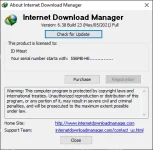
TS TS D Dismal May 9, 2021 #11 psalatan said: bakit ganon, pag pinapâtch ko na, unable daw Click to expand... 1) Remove any previous version of the program, and agree to restart. 2) Install idman638buid23f.exe 3) Exit the program. (Right click on the green icon of IDM found in the system tray --> Exit) 4) Double-click on File ρá†ch.exe then click OK. Importante ang Step 3
psalatan said: bakit ganon, pag pinapâtch ko na, unable daw Click to expand... 1) Remove any previous version of the program, and agree to restart. 2) Install idman638buid23f.exe 3) Exit the program. (Right click on the green icon of IDM found in the system tray --> Exit) 4) Double-click on File ρá†ch.exe then click OK. Importante ang Step 3
 PH
PH