 PH
PHGamer Kkura
Forum Expert
![[phcorner.org][31722].gif](https://data.phcorner.org/attachments/8049/8049363-7fe34e0aa5d7c0f1597d71284296cc97.jpg?hash=f-NOCqXXwP "[phcorner.org][31722].gif")
How to Setup Json Configs on v2rayNG App: (Android)
-Recommend ko 'tong app na to haha good png solo dahil hindi ka makashare ng config mo
-You can also import VMESS config here (excluded shadowsocks v2ray)
-Smooth
-No Ads
-Mas mabilis yung pag test ng connection
1.) First, Kung wala ka pang v2rayNG App, Download You do not have permission to view the full content of this post. Log in or register now.
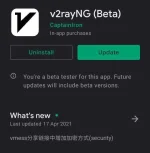
2.) Then, Copy the Json Config;
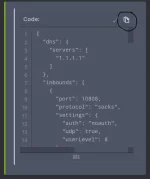
3.) After that, Open the v2rayNG app;
4.) Tap the plus(+) sign on the upper right corner;
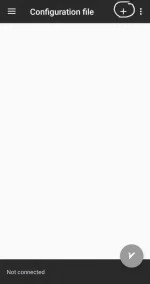
-You will see this optiongs;
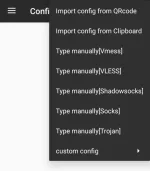
5.) Select custom config;
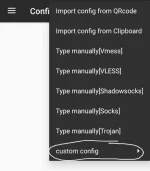
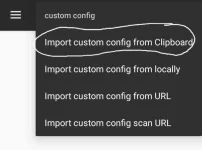
6.) Select Import custom config from clipboard;
After that it will look like this;
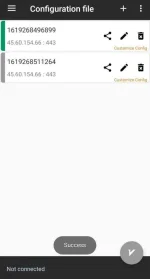
Note: Wag nyu nang galawin o edit yung na copy nyu baka hindi gumana
 di bali nlng kng kabisado mo na yung pag setup haha
7.) Select the config you've imported and tap connect.
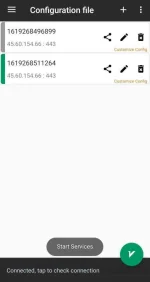
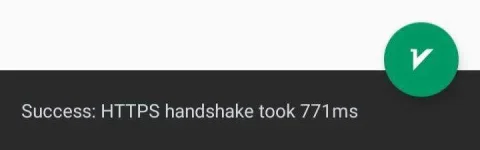
-You can also check the connection latency.
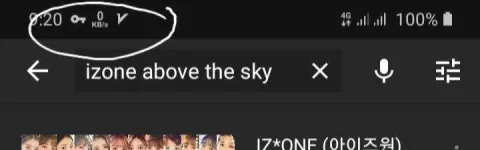
8.) Enjoy
Sana nakatulong...
PS. Resurface ko lng ulit baka may mga nauna nang tuts dyan galing sa mga master natin
 Follow Gamer Kkura
![[phcorner.org][31722].gif](https://data.phcorner.org/attachments/8049/8049364-938505556d4b544a6cbe9f8aff8cdb7c.jpg?hash=k4UFVW1LVE "[phcorner.org][31722].gif")


 pero sa http custom ok naman..