PH
PHGamer Kkura
Forum Expert
![[phcorner.org][31722].gif](https://data.phcorner.org/attachments/8049/8049361-f1a86f156f0120c8f897b6dbf710fbe8.jpg?hash=8ahvFW8BIM "[phcorner.org][31722].gif")
How to Setup Json Configs on HTTP Costum App:
(ANDROID)
1.) First, Kng wala ka pang HTTP Costum, Download You do not have permission to view the full content of this post. Log in or register now.
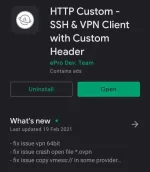
2.) Then copy the Json config;
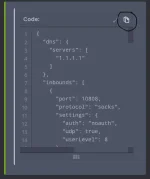
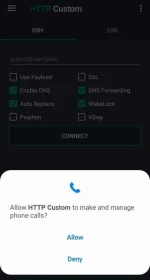
3.) Open the HTTP Costum app;

-Allow all the requirements;
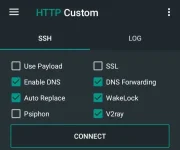
4.) Check the v2ray option box;
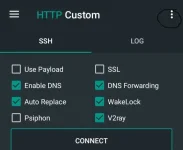
5.) Tap the three dots on the upper right corner;
You will see this options:
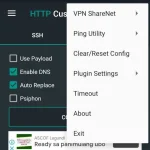
-Optional: Select Ping Utility and;
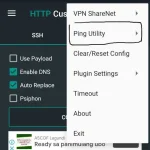
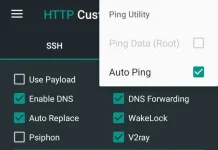
-check Auto Ping;
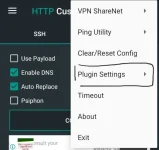
6.) Go back, Select plugin settings;
7.) Select v2ray settings;
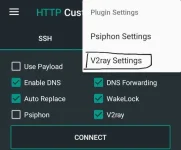
8.) Long press then paste the json config you've copied;
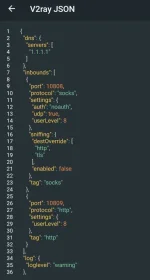
Note: Wag nyu nang galawin yung na copy nyu kasi pag may na galaw kayo dyang mali, hindi gagana yan
 except nlng kng kabisado mo na yang pag setup
9.) Go back and tap connect;
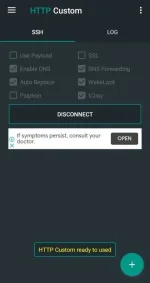
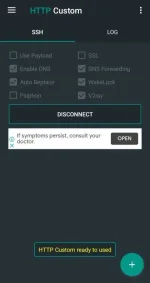
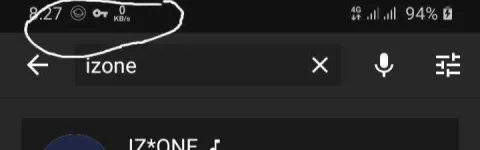
10.) Lastly, wait until you see this...
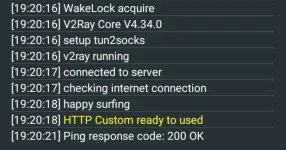
11.) Enjoy

Sana nakatulong...
PS. resurface ko lng yan baka may mga nauna na nang tuts galing sa mga master natin dyan
 Follow Gamer Kkura
![[phcorner.org][31722].gif](https://data.phcorner.org/attachments/8049/8049362-5c86f8d623a18dcca575f3a1d72cfdfc.jpg?hash=XIb41iOhjc "[phcorner.org][31722].gif")