 PH
PHelastokwik
Forum Veteran
Anyways eto napapansin kong malaki ang consumption sa pc to those who are using windows 10
so ginawan ko ng script, baka naman makatulong sa iba!
You do not have permission to view the full content of this post. Log in or register now.
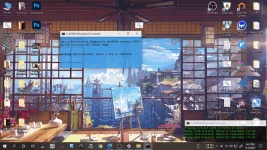
https://phcorner.org/threads/makes-your-life-easier-shortcuts-to-everything-with-tuts.1051843/
PC Optimizer script
https://phcorner.org/threads/pc-cleaner-bat-file.1051687/
so ginawan ko ng script, baka naman makatulong sa iba!
What does this script do!
*Diagnostic policy service takes too much cpu usage, so my script deletes all the information inside the (service resource monitor) or sru folder and restarts the DPS(Diagnostic Policy Service) back to zero. DPS now will continue to read all the information running on your system earlier and the information that was read earlier is deleted resulting to lower CPU usage.You do not have permission to view the full content of this post. Log in or register now.
Other Links:
Makes life easier with this scripthttps://phcorner.org/threads/makes-your-life-easier-shortcuts-to-everything-with-tuts.1051843/
PC Optimizer script
https://phcorner.org/threads/pc-cleaner-bat-file.1051687/

