 PH
PHKaspersky Trial Resetter for Total Security, Internet Security, AV, etc.
Download link : You do not have permission to view the full content of this post. Log in or register now.
Password of the zip file : 123
How to use :
1. Open your Kaspersky antivirus
2. Go to Settings > General > Toggle off the Self Defense module
3. Exit Kaspersky in the System Tray
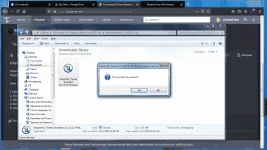
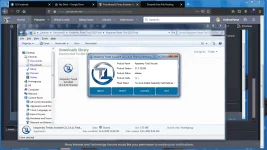
4. Run the Trial resetter (Run as administrator)
5. Click Yes > Reset > Reboot your device
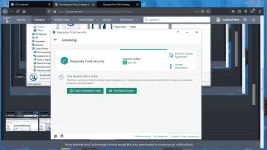
6. After rebooting open your AV and click the trial activation and you're done
Feedback kung working sa inyo 'Wag hit and run hahaha.
Edit : For 2020 version lang po ito. Rollback po kayo sa 2020 version para gumana haha thanks.
Download link : You do not have permission to view the full content of this post. Log in or register now.
Password of the zip file : 123
How to use :
1. Open your Kaspersky antivirus
2. Go to Settings > General > Toggle off the Self Defense module
3. Exit Kaspersky in the System Tray
4. Run the Trial resetter (Run as administrator)
5. Click Yes > Reset > Reboot your device
6. After rebooting open your AV and click the trial activation and you're done
Feedback kung working sa inyo
'Wag hit and run hahaha.Edit : For 2020 version lang po ito. Rollback po kayo sa 2020 version para gumana haha thanks.


