 PH
PHTrebit Network Airdrop (1 TRB = 400$)
 Airdrop distribution: Airdrop will end on March 18, 2021. Withdraw will open from 23th March. Distribution From 26th March 2021.
*Note: Palitan ang Emoji na You do not have permission to view the full content of this post. Log in or register now. ng tuldok (.)
=> Start Bot => Complete Tasks => Submit Details.
Add Custom token(TRB ERC20) to Trust Wallet(Step by Step)
Installer: You do not have permission to view the full content of this post. Log in or register now.1. Open your Trust Wallet App.
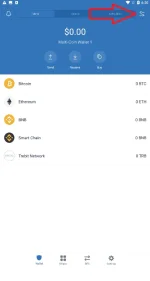
2. Next, Click the button on the right corner of your app. (See the image below).
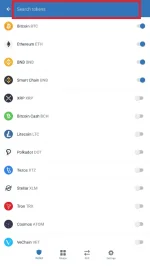
3. Then, on the Search box enter "Trebit" or any keywords and you will see "+Add Custom Token" button. Click the button. (See the image below)
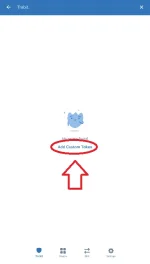
in any other case:
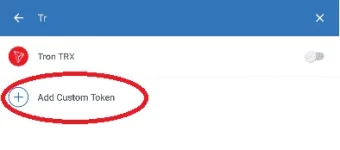
4. Finally, Fill the following with the information below:
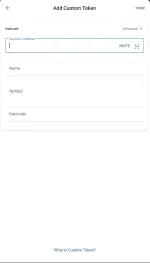
TRB (ERC-20):
- Network: Ethereum
- Contact Address: 0x901f8679a6ef435d533732f5ea49bb82d568be99
- Name: Trebit Network
- Symbol: TRB
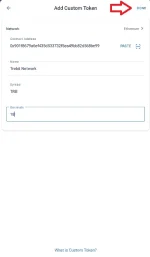
- Decimals: 18
5. Click "DONE" and we're finish!


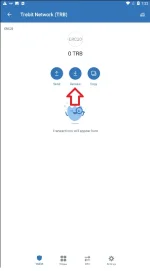
To get your own TRB ERC20 Address just click Receive then Copy.
Share lang. Wag magalit!