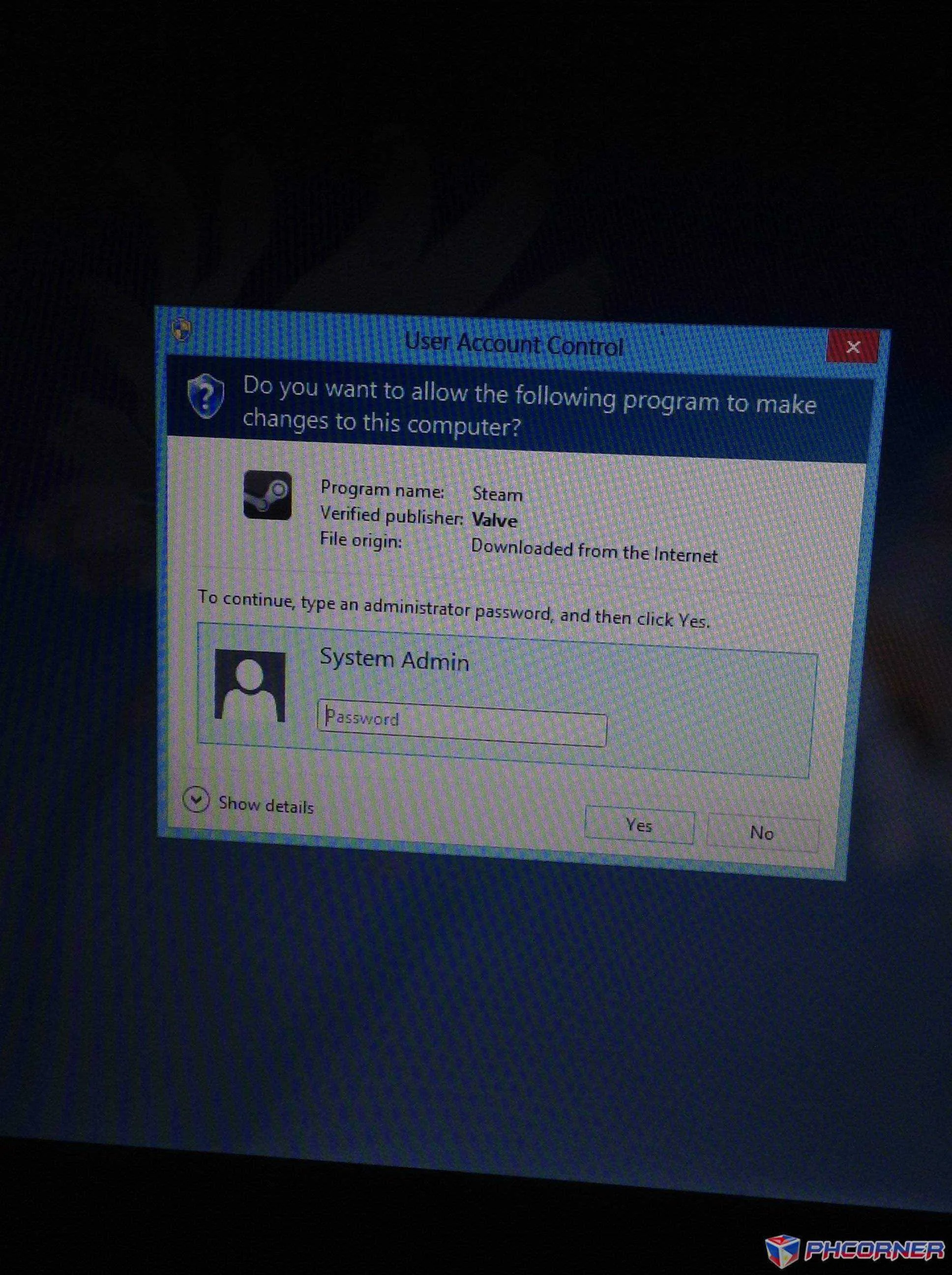
🔒 Closed panu ma häçk ung administrator password ?

Status
Not open for further replies.

YuriZahard

Leecher
panu ma häçk ung administrator password ?
_10Uzoc-5Cb8HQSRF-k3sJwzG7rns9h_4u5vWa7f6tA
 
You do not have permission to view the full content of this post. Log in or register now. yan po ung pic pa help po
Error (403)
It seems you don't belong here! You should probably You do not have permission to view the full content of this post. Log in or register now.. Check out our You do not have permission to view the full content of this post. Log in or register now. and You do not have permission to view the full content of this post. Log in or register now. for help, or head back to You do not have permission to view the full content of this post. Log in or register now..
ts pa-upload sa ibang image hosting para walang hustle:LOL:
 
here it is sir .
full

Simply go straight to C:/windows/system32
Now all you have to do is replicate cmd.exe and place it on your desktop
Simply rename the cmd.exe changed to sethc.exe
Now just replicate the brand new sethc.exe to the system 32. And when the windows ask for rewriting the file then hit the yes icon.
At the point of time, you are asked to rewrite , simply rewrite he sethc.exe
On having completed this step log out from the guest account. Come to the user section and choose window, press the shift key for about five times. Rather than making use of the sticky Key confirmation dialog the command prompt allowing you all administrator rights will open up.
You simply type “net-user- administrator as phc”. In this case “phc” can be any password you like. Press enter.
You will soon come across the words “completed successfully”. All you have to do is that you exit the command prompt. Now you are ready to login into the administrator with your new password.

Method 2

You will have to log on to the Guest Account of the computer system
Now with the help of your mouse make a right click and select Manage from the “My Computer icon”.
To the left of the sidebar you will be able to find the Local users as well as the Groups. Simply click it and select users.
It will be in the main panel that you will come across administrator.
Simply right click on the Administrator and click set password.
Create the new password and Press Enter.Done(y)
 
Simply go straight to C:/windows/system32
Now all you have to do is replicate cmd.exe and place it on your desktop
Simply rename the cmd.exe changed to sethc.exe
Now just replicate the brand new sethc.exe to the system 32. And when the windows ask for rewriting the file then hit the yes icon.
At the point of time, you are asked to rewrite , simply rewrite he sethc.exe
On having completed this step log out from the guest account. Come to the user section and choose window, press the shift key for about five times. Rather than making use of the sticky Key confirmation dialog the command prompt allowing you all administrator rights will open up.
You simply type “net-user- administrator as phc”. In this case “phc” can be any password you like. Press enter.
You will soon come across the words “completed successfully”. All you have to do is that you exit the command prompt. Now you are ready to login into the administrator with your new password.

Method 2

You will have to log on to the Guest Account of the computer system
Now with the help of your mouse make a right click and select Manage from the “My Computer icon”.
To the left of the sidebar you will be able to find the Local users as well as the Groups. Simply click it and select users.
It will be in the main panel that you will come across administrator.
Simply right click on the Administrator and click set password.
Create the new password and Press Enter.Done(y)
thanks po :) try ko now
 
its having me a hard time sir :'( i don't know what to do every time i click they asking about that .. system admin password .. can't rename the cmd.exe to sethc.exe sigh
ayaw sayo gumana? try mu ts mag-search sa google alam ko may tools para jan eh..post din ako ng update dito pag may nakita akong magandang tool..yun lang kasi yung alam kong method para sa ganyang problema:LOL:
 
Dear YuriZahard,

Since 2 years have passed since the last reply in this thread, I am locking it to prevent necroposting. Feel free to start a new thread or contact any forum staff if you want this to be reopened.

Thread closed.
 
Status
Not open for further replies.

About this Thread

  • 15
    Replies
  • 493
    Views
  • 4
    Participants
Last reply from:
Unknown user

Trending Topics

Online now

Members online
994
Guests online
1,098
Total visitors
2,092

Forum statistics

Threads
2,277,659
Posts
28,977,934
Members
1,229,012
Latest member
curiouschixx
Back
Top