 PH
PH-
Welcome to PHCorner Forums! Sign up for free to unlock full access and exclusive privileges, including:
- Asking questions about computer and mobile issues
- Discovering internet tips for your mobile network and computer
You are using an out of date browser. It may not display this or other websites correctly.
You should upgrade or use an alternative browser.
You should upgrade or use an alternative browser.
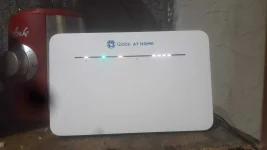
Hattori Hanzo
Established
search ka sa YT may tut dun at needed na app para magawa mo.
Aspen 3Zer0
Eternal Poster
permanent na yon lods. once na-input mo na yung admin creds sa login page ng modem kahit mag reset ka pa naka admin access na yon. yung admin/pwd kase ang mag unlock nyan at once unlocked na sa admin settings permanent na.
SonnyBonso
Leecher
Meron po ako nakita sa youtube, iba iba sim gamit sa B535-932.
joshua060404
Leecher
Ako rin nangangailangan na magamit ko sa ibang network yung globe HUAWEI B535-932 router ko sayang naman kung itatapon ko lang. Humihingi sya ng unlock code. Please help naman.
mel12345agbon
Leecher
How to Unlock Huawei B535-932?
Step 1. Turn Huawei B535-932 off.Step 2. Insert a separate Network Provider SIM card (ex. For a Vodafone device, a T-Mobile SIM card may be used).
Step 3. Switch ON.
Step 4. The simlock / NCK / SIM network unlock PIN prompt will appear.
Step 5. Type the unlock code supplied by routerunlock.com.
Step 6. Now, your Huawei B535-932 is permanently unblocked.
Note: If the phone does not accept the first code, then enter the last code. Confirm unsuccessful message will appear. Now enter the unlock code again.
Aspen 3Zer0
Eternal Poster
Free po ba makukuha ang unlock code?How to Unlock Huawei B535-932?
Step 1. Turn Huawei B535-932 off.
Step 2. Insert a separate Network Provider SIM card (ex. For a Vodafone device, a T-Mobile SIM card may be used).
Step 3. Switch ON.
Step 4. The simlock / NCK / SIM network unlock PIN prompt will appear.
Step 5. Type the unlock code supplied by routerunlock.com.
Step 6. Now, your Huawei B535-932 is permanently unblocked.
Note: If the phone does not accept the first code, then enter the last code. Confirm unsuccessful message will appear. Now enter the unlock code again.
Similar threads
-
🔵 Globe How to openline globe prepaid wifi huawei B315s-938
- Started by Darfox28
- Replies: 2
About this Thread
-
28Replies
-
17KViews
-
22Participants
Last reply from:
jonas007
jonas007
New Topics
-
Pldt home fibr disconnected may pang bypass ba kayo?
- Started by boytorpe
- Replies: 1
- ❓ Internet Questions
-
Any tips or way po para mapalakas signal ng sim ko?
- Started by Meowshi
- Replies: 0
- ❓ Internet Questions
-
Sts noload/ iwanttfc
- Started by nikola budoy
- Replies: 0
- ❓ Internet Questions
-
Pa help po, internet access is blocked
- Started by sl4yer1000
- Replies: 0
- ❓ Internet Questions
-
LF Netflix own email
- Started by Jrjn
- Replies: 0
- ❓ Internet Questions
-
Nørd VPN pc pang game lang po thankyou
- Started by exavp
- Replies: 0
- ❓ Internet Questions
-
No ads sakop buong cp
- Started by AYuna23
- Replies: 1
- ❓ Internet Questions
-
Need help about poser
- Started by Ace of Spades I
- Replies: 1
- ❓ Internet Questions
-
Globe DHCP IP Issue
- Started by Remremskie
- Replies: 3
- ❓ Internet Questions
Trending Topics
Online now
- Members online
- 788
- Guests online
- 12,119
- Total visitors
- 12,907