 PH
PH-
Welcome to PHCorner Forums! Sign up for free to unlock full access and exclusive privileges, including:
- Asking questions about computer and mobile issues
- Discovering internet tips for your mobile network and computer
You are using an out of date browser. It may not display this or other websites correctly.
You should upgrade or use an alternative browser.
You should upgrade or use an alternative browser.
🔒 Closed Change OS
- Thread starter denji
- Start date
- Status
- Not open for further replies.

kaya nga po eh. nagresearch ako kaninawag ka maglinux kung maglalaro ka lods advice ko lang. mas ok parin windows. mag 10 pro ka nalang, yung 20H2v2 version. Yan yung latest ngayon
ICE Coffee
⭐⭐☕⭐⭐
do some research about sa balak mong gamiting OS, wag basta bastang mag migrate lalong lalo na sa linux dahil mahihirapan ka kung baguhan pa lamang, and kung gamer ka din baka yung games na nilalaro mo eh hindi mo din mapa run ng maayos sa linux, mostly kasi na games is supported ni windows pero meron din naman supported si linux,
pero kung sa coding naman ok lang naman si linux and mas magaan sya compare sa windows, yun nga lang may mga formating na mababago lalo na pagdating sa excel files, specially yung macro hindi po sya gagana sa libre office
pero kung sa coding naman ok lang naman si linux and mas magaan sya compare sa windows, yun nga lang may mga formating na mababago lalo na pagdating sa excel files, specially yung macro hindi po sya gagana sa libre office
ang masasuggest ko na gaming na linux is use You do not have permission to view the full content of this post.
Log in or register now. if may nvidia kang gpu may installer silang may drivers na
if un mga games mo nasa steam. may plugin silang proton na nakakapag run ng windows games sa linux.
if un mga games mo nasa steam. may plugin silang proton na nakakapag run ng windows games sa linux.
Very familiar ako sa Linux command line, pero gamer rin ako. Kaya I stick with Windows. Ang trip kong games ay mostly action adventure, RPG. Yung mga Assassin's Creed, Tomb Raider, Red Dead Redemption, Grand Theft Auto, Batman, Cyberpunk, etc. Ako yung tipong naglalaro on release date. Ang hirap nung may high end parts ka, tapos hit or miss kung gagana ang game sa Linux o hindi kasi hindi naman talaga officially supported.
As a Linux sysad, and now transitioning to DevOps, sanay na sanay ako sa Linux terminal. Madaling mag-transition from command line to desktop environment, and from one distro to another. Now, with DevOps, kailangan ko na ring mag-code since automated na ang mga deployments. So, aside from an SSH client, may added tools na sa workflow ko, like VS Code, Git, Ansible, Terraform, Docker, Kubernetes, Rancher, Jenkins CI/CD. Lahat ng ito, pwede kong gawin sa Windows o sa Linux desktop. Parehas lang ang resulta - dun pa rin i-deploy sa Linux servers.
Andaling mag-deploy ng Linux servers sa cloud ngayon. Mura na, mabilis pang mag-download. Halos di ko na nga magamit yung homelab NAS ko kasi mas mabilis mag-test sa cloud. Kung ayaw mo sa cloud, pwede pa rin naman ang traditional method using virtual machines, like VirtualBox or VMWare Workstation.
Personally, puro containerization na ako ngayon. VPN? Proxy? Usenet downloader? Torrent client? TV/Movie tracker? Plex Media Server? Apache? Nginx? NodeJS? Wordpress? MariaDB? Email system? Merong Docker-based deployment ang mga yan. Kahit sa Windows 10, starting with update 2004, meron nang Windows Subsystem for Linux version 2 (WSL 2). Ito na ang gagamitin ng Docker Desktop para mas mabilis. Hindi pa rin kasing bilis ng native Linux, pero pwede na pang-practice.
Sa totoo lang, di na relevant ang OS ngayon with modern development tools. Learn about GitOps, containerization (Docker), and continuous integration/continuous deployment. Cloud-based automation na ang uso ngayon. Stick with the OS that you're used to kasi pag natutunan mo na ang makabagong tools, baka VS Code at web browser nalang ang magagamit mo sa Windows o Ubuntu. Puro remote na lahat.
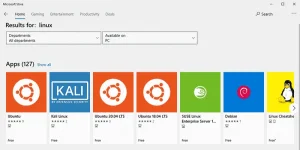
As a Linux sysad, and now transitioning to DevOps, sanay na sanay ako sa Linux terminal. Madaling mag-transition from command line to desktop environment, and from one distro to another. Now, with DevOps, kailangan ko na ring mag-code since automated na ang mga deployments. So, aside from an SSH client, may added tools na sa workflow ko, like VS Code, Git, Ansible, Terraform, Docker, Kubernetes, Rancher, Jenkins CI/CD. Lahat ng ito, pwede kong gawin sa Windows o sa Linux desktop. Parehas lang ang resulta - dun pa rin i-deploy sa Linux servers.
Andaling mag-deploy ng Linux servers sa cloud ngayon. Mura na, mabilis pang mag-download. Halos di ko na nga magamit yung homelab NAS ko kasi mas mabilis mag-test sa cloud. Kung ayaw mo sa cloud, pwede pa rin naman ang traditional method using virtual machines, like VirtualBox or VMWare Workstation.
Personally, puro containerization na ako ngayon. VPN? Proxy? Usenet downloader? Torrent client? TV/Movie tracker? Plex Media Server? Apache? Nginx? NodeJS? Wordpress? MariaDB? Email system? Merong Docker-based deployment ang mga yan. Kahit sa Windows 10, starting with update 2004, meron nang Windows Subsystem for Linux version 2 (WSL 2). Ito na ang gagamitin ng Docker Desktop para mas mabilis. Hindi pa rin kasing bilis ng native Linux, pero pwede na pang-practice.
Sa totoo lang, di na relevant ang OS ngayon with modern development tools. Learn about GitOps, containerization (Docker), and continuous integration/continuous deployment. Cloud-based automation na ang uso ngayon. Stick with the OS that you're used to kasi pag natutunan mo na ang makabagong tools, baka VS Code at web browser nalang ang magagamit mo sa Windows o Ubuntu. Puro remote na lahat.
- Status
- Not open for further replies.
Similar threads
-
-
-
👥 Referral ATOME NEW PEOMO : Iphone 17 raffle and high change of approval
- Started by PHC-JCHEESE
- Replies: 0
-
❓ Help Planning to switch from windows to linux OS please recommend os
- Started by demonwarlord
- Replies: 1
-
👨🏫 Tutorial Ai Strategy For NonTechnical Managers Lead Ai Change
- Started by WSODownload
- Replies: 1
About this Thread
-
8Replies
-
371Views
-
7Participants
Last reply from:
gabotron
gabotron
New Topics
-
Enlighten me please with these two
- Started by Jeii
- Replies: 4
- ❓ Computer Discussion & Support
-
Win 10 Home keys
- Started by Ali246
- Replies: 6
- ❓ Computer Discussion & Support
-
Windows 11 26H2
- Started by tholitz
- Replies: 1
- ❓ Computer Discussion & Support
-
Help po !!!! My account got häçked Facebook and steam
- Started by bujoy20
- Replies: 8
- ❓ Computer Discussion & Support
-
Mga bossing patulong po nahäçk account ko due to carelessness
- Started by Jeii
- Replies: 4
- ❓ Computer Discussion & Support
-
Computer parts na cheap
- Started by bjenjay1
- Replies: 4
- ❓ Computer Discussion & Support
-
PC APPS - remote or auto saved type and auto audio
- Started by babyzero
- Replies: 1
- ❓ Computer Discussion & Support
-
Data Recovery May Chance pa bato
- Started by tambay28
- Replies: 3
- ❓ Computer Discussion & Support
-
Capcut PC pasabit po
- Started by L A Z A
- Replies: 0
- ❓ Computer Discussion & Support
Trending Topics
Online now
- Members online
- 495
- Guests online
- 6,835
- Total visitors
- 7,330