 PH
PHSteps:
1. Punta ka sa topic sa study.com na gusto mo iunlock.
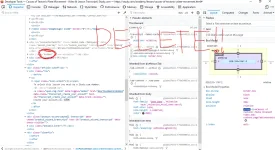
2. Right-click at pindutin ang 'Inspect Element'
3. Kapag nasa Element Panel kana, click mo yung rectangle na may arrow na makikita sa uppermost left portion.
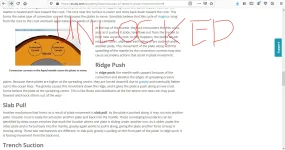
4. Now balik kana sa study.com page click mo yung naka blurred na words at bumalik ulit sa Inspector tab at makikita mo dapat yung hidden div class. I-delete lang ang hidden na word at iclick ang ENTER button then balik kana sa study.com page at makikita mo na unlock na yung buong page.
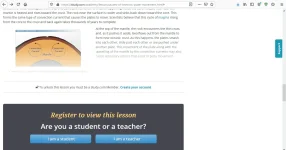
1. Punta ka sa topic sa study.com na gusto mo iunlock.
2. Right-click at pindutin ang 'Inspect Element'
3. Kapag nasa Element Panel kana, click mo yung rectangle na may arrow na makikita sa uppermost left portion.
4. Now balik kana sa study.com page click mo yung naka blurred na words at bumalik ulit sa Inspector tab at makikita mo dapat yung hidden div class. I-delete lang ang hidden na word at iclick ang ENTER button then balik kana sa study.com page at makikita mo na unlock na yung buong page.

