PH
PHUnholyPasta
Forum Veteran

Here's a guide how to apply cheats on our ps3 saved games just follow the instruction carefully
Requirements
1.PS3
2.USB
3.PC
4.Bruteforce Savedata
Link

5.Param.SFO editor
Link

Before we start install Msvbvm50 from bruteforce folder
in win 7 run compatibility then install
How to copy savedata to your USB and copy it to your
1. Go to Game -> Saved Data Utility.
2. Way at the top you'll see your storage drives. Click on the one you need.
3. Just like before, select the desired savegame and press triangle ( ). ...
4. Wait for it to finish copying, and you're done!
5. You can see your saved game on your usb on PS3>SAVEDATA then copy it to your PC
Now open Bruteforce Savedata and input your UserID and ConsoleID
How to get your UserID and ConsoleID
1. Open Param.SFO editor
2. Click the black folder to get your savedgame
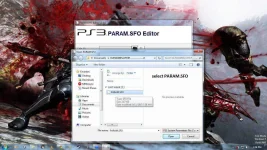
3. Click the drop down box below the ACCOUNT ID
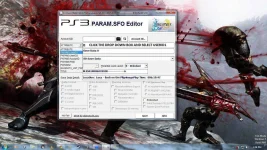
4. Then select PARAMS:UserID1 and it will show your UserID at the right side
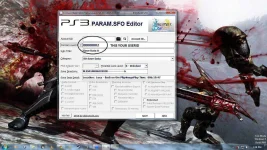
5. Repeat the step 3 then select PARAMS: PSID and it will show your ConsoleID at the right side
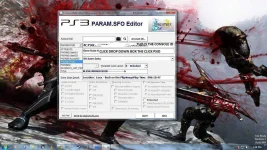
6. Input your UserID and ConsoleID to global settings and select profile
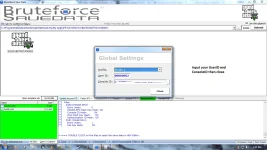
7. Click Close
HOW TO APPLY CHEAT ON YOUR SAVEDATA
1. Browse and import your saved game click the 3 dots besides the Icons button
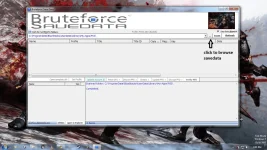
2.Select the saved game and click Decrypt PFD and select Decrypt All Files
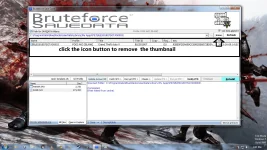
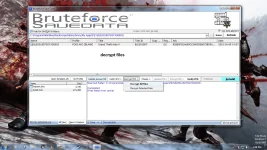
3. Click Cheats then select apply cheats
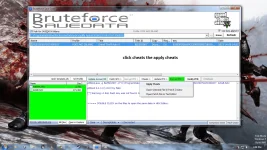
4. Now select your desired cheat then click apply and click yes *if it doesn't show cheat for your it's not available*
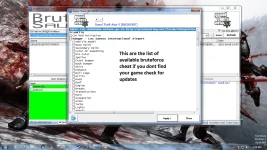
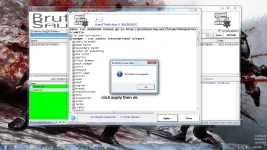
5. Click Update PFD and select Update PFD Full then click YES
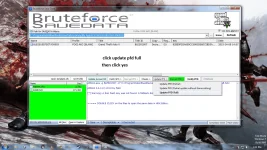
6. Click Verify PFD and Click Rebuild and select Rebuild Full
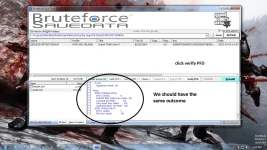
Then copy your edited savedata to your ps3 how?
1. Plug-in your USB to your PS3
2. Go to Game -> Saved Data Utility.
3. Way at the top you'll see your storage drives. Click on the one you need.
4. Just like before, select the desired savegame and press triangle ( ). ...
5. Wait for it to finish copying, and you're done!