PH
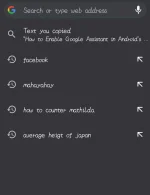
PH- Open Chrome on your Android device and create a new browser tab.
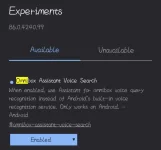
- Go to chrome://flags#omnibox-assistant-voice-search
- Tap the drop down menu under Omnibox Assistant Voice Search.
- Select “Enabled.”
- Tap “Relaunch” when prompted to save the changes and restart Chrome.

Spoiler contents are visible only to Established Members.