🔒 Closed Google chrome 59.0.3071.109 offline installer - windows/mac

Status
Not open for further replies.

acervergel87

Forum Guru
chorem.png
Google Chrome is a browser that combines a minimal design with sophisticated technology to make the web faster, safer, and easier. Google Chrome also uses a brand new javascript engine (V8), which is much faster than existing javascript interpreters. This means you can create more complex and more intensive AJAX applications with fewer speed and processing constraints. Finally, Google Chrome is built on top of Blink (WebKit fork), so Google Chrome users will benefit from the CSS3 features being added to Blink (WebKit fork) as those features are released.

Note: Users will get the updates automatically if the basic online installers provided by Google are used. The offline setup installers do not seem to allow for updates automatically.


Chrome Flash Player error? Try this method..

*On your computer, open Chrome.
*At the top right, click More Settings.
*At the bottom, click advanced settings.
*Under "Privacy," click Content settings.
*Under "Flash click the small arrow at the left, " disable "Ask first button.
*then reload the site that has flash error.

New update, proceed with the new version . here ----> CLICK ME

if u like it.gif
 

Attachments

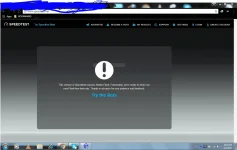
panu po kaya i-enable yung Flash Player dito, Nadownload ko na po Adobe Flash Player for chrome at nai-enable ko na din , pero hindi pa rin sya working sa mga sites na need ng Flash Player ..hehe..
Sa pagkaka alam ko automatic na yan bastat updated or latest lang na flash player ang na install mo.
screen shot mo nga?
 
pang chrome po yung dinawnload ko ..
I see, try this.
  1. On your computer, open Chrome.
  2. At the top right, click More
    ArAlBcUAe8h1l5m69uxnwElxkqwW0QdtIc3F
    VYf2n6kwoBIxB2zv3V4VPT4gNTtBye8lYznogLqLPY=w13-h18.webp Settings.
  3. At the bottom, click advanced settings.
  4. Under "Privacy," click Content settings.
  5. Under "Flash click the small arrow at the left, " disable "Ask first button.
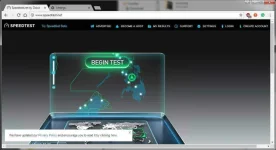
  6. then reload speedtest, mine works with this procedure.
    fl.webp
 
Thanks paps, sorry sa late response.hehe
Hindi ko napansin agad yung content setting nayun,HAHA
I see, try this.
  1. On your computer, open Chrome.
  2. At the top right, click More
    ArAlBcUAe8h1l5m69uxnwElxkqwW0QdtIc3F
    VYf2n6kwoBIxB2zv3V4VPT4gNTtBye8lYznogLqLPY=w13-h18.webp Settings.
  3. At the bottom, click advanced settings.
  4. Under "Privacy," click Content settings.
  5. Under "Flash click the small arrow at the left, " disable "Ask first button.
  6. then reload speedtest, mine works with this procedure.
    View attachment 196623
 
Status
Not open for further replies.

About this Thread

  • 25
    Replies
  • 1K
    Views
  • 13
    Participants
Last reply from:
Angelo89

Online now

Members online
542
Guests online
1,232
Total visitors
1,774

Forum statistics

Threads
2,287,968
Posts
29,048,037
Members
1,215,822
Latest member
ksksmsmsms
Back
Top