PH
-
Welcome to PHCorner Forums! Sign up for free to unlock full access and exclusive privileges, including:
- Asking questions about computer and mobile issues
- Discovering internet tips for your mobile network and computer
misteranonymus's latest activity
-
Mkey for 231 76ef7d72d9b34c3994167407de1a5d53:d1dd05151da74437dcc7e9c568e170da
-
Mmisteranonymus replied to the thread Need new Keys from Romania Vodafone.You have no MPD URL. Press the select Button and choise the URL Then press the "Guess!" Button. P.S.: What’s strange, though, is that the add-on usually detects the MPD stream and populates the field automatically.
-
MRequires US IP address Hidden content
-
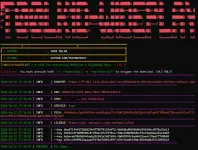
Mmisteranonymus replied to the thread Need new Keys from Romania Vodafone.Nothing, the Addon detects everything and handles everything itself; all you have to do is wait for it to output the KID:KEY
-
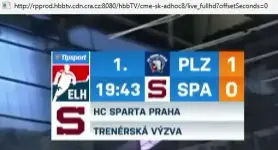
Mmisteranonymus replied to the thread Collecting streams from CME.adhoc8 is czech hockey league and no slowak hockey league at the moment. Lets look at 6:00pm where the next slowakian hockey games start
-
-
Mokok tnks my friends
-
Mmisteranonymus replied to the thread Collecting streams from CME.look like adhoc1 to adhoc5 Nike Liga, slowakian top soccer league. Saturday or Sunday you have one game at the slovakian TV channel DajTo and the rest, maybe multiplex at games with the same time, at this channels. adhoc7 looks live Tipsport...
-
Mmisteranonymus replied to the thread Vodafone TV mpd sept26.Correct, you need the webside URL, in my case http://joyn.at/play/live-tv?channel_id=prosieben , that you get the stream MPD and the licence URL. But sometimes you find on the internet, like webtv.sk , the stream MPD and the licence URL and it...
-
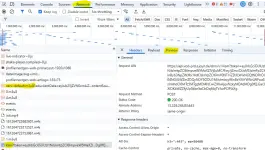
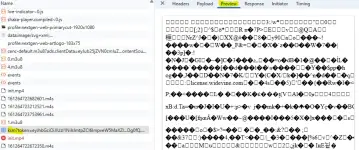
Mmisteranonymus replied to the thread Vodafone TV mpd sept26.This is usually quite simple using the Chrome or Firefox developer tools (though I find Firefox a bit trickier). You can easily spot the license URL because it contains "widevine" or "wdv," (Joyn have drm plus ksm, i don't know why) or because it...
-
-
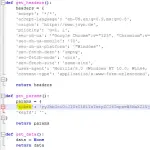
Mmisteranonymus replied to the thread Vodafone TV mpd sept26.or here with token in the license URL Service File joyn.py
-
-
Mmisteranonymus replied to the thread Vodafone TV mpd sept26.And you can see, no token in the Stream URL And the .wvd File, there are many good documention on the internet where you can see that you can make such a file with Android Studio
-
-
Mmisteranonymus replied to the thread Vodafone TV mpd sept26.do you have an ".wvd CDM file" Without this file the pyhton script is without function and you got an error message
-
Mmisteranonymus replied to the thread MLS (US soccer league).You’d be looking for a long time. MLS coverage on Apple TV runs worldwide until June 2029 (with select games in the US on Fox and in Canada on TSN—though the latter only covers the Canadian teams). And you’re actually lucky there, because the...
-
Mmisteranonymus replied to the thread Vodafone TV mpd sept26.no, simpliTV and Joyn Stream work with the Stream URL without token. But you need a token in the settings of your (phyton-)tool. Sometimes you become this token from a trailer video of the service (like Magentasport) The links I posted in my...
-
Mmisteranonymus replied to the thread Vodafone TV mpd sept26.sometimes yes, the mpd URL and the licence URL is enough. But sometimes you need an authorizetion token in the settings of your (python-)tool to make this. And this authorizetion token valids not a long time or only once. See for an example...
-
Mmisteranonymus reacted to shanglei1986's post in the thread Love Nature 4k mpd+key (canada) with
 Like.
Hidden content Welcome to exchange other resources via PM
-
MHidden content
-
MI had that add-on, but Chrome updated and removed it... When I reinstall the add-on, this appears: Failed to load extension File ~\Desktop\widevine\widevine-l3-decryptor-master Error Cannot install the extension because it uses an incompatible...
-
Mmisteranonymus replied to the thread Vodafone TV mpd sept26.Really??? To download press "<>Code" at the link above and than press "Download ZIP" or https://github.com/tomer8007/widevine-l3-decryptor/archive/refs/heads/master.zip Then extract the ZIP-File Then go to Chrome - Addon - Addon administration...
-
Mmisteranonymus reacted to sweetvoice's post in the thread NBA Preseason live stream: Warriors vs Lakers with Like.
Hidden content