PH
-
Welcome to PHCorner Forums! Sign up for free to unlock full access and exclusive privileges, including:
- Asking questions about computer and mobile issues
- Discovering internet tips for your mobile network and computer
nmrisrl11's latest activity
-
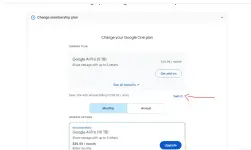
Nnmrisrl11 replied to the thread 🛠️ Tools Google AI Pro Portal [English] - 2-Years + 1-Month YT [Still working but account might be hold].Let's say you already got the Tier 1, from extension click the Tier 2, inside the extension, click the arrow or Open Plans. This will open the manage membership page, from there click the Switch button, then it will open the payment form again...
-
-
NHidden content PANO GAGANA SIGN IN OTHER WAY ILAGAY YNG TEMP MAIL NA EMAIL TAPOS CODE YON NA PREMIUM NA
-
Nnmrisrl11 reacted to KezongPuti's post in the thread Free Starbucks Wifi Kahit Anong Branch with
 Like.
Eto password ng Employees Wifi sa lahat ng Starbucks sa Pilipinas. Hindi mo na kailangan bumili ng kape para makuha password dahil hindi ito pinapalitan. Maganda to kapag kapitbahay mo si Starbucks. Or pang emergency kapag may need ka ivideocall...
-
Nnmrisrl11 replied to the thread 🛠️ Tools Google AI Pro Portal [English] - 2-Years + 1-Month YT [Still working but account might be hold].hirap, broo woooh HAHAHA welcome, boss!
-
Nnmrisrl11 reacted to azzy's post in the thread 🛠️ Tools Google AI Pro Portal [English] - 2-Years + 1-Month YT [Still working but account might be hold] with
 Haha.
Nosebleed ako ah
-
Nnmrisrl11 reacted to Onehat's post in the thread 🎁 Giveaways Google AI Pro 24 Months + YouTube Premium 1 Month | Extension | nakatay but can retry with
 Love.
Hidden content
-
Nnmrisrl11 replied to the thread 🛠️ Tools Google AI Pro Portal [English] - 2-Years + 1-Month YT [Still working but account might be hold].yunnn! thanks sa tips and update, bro!
-
Nnmrisrl11 reacted to geobert's post in the thread 🛠️ Tools Google AI Pro Portal [English] - 2-Years + 1-Month YT [Still working but account might be hold] with Love.
Update: Eto sakin workin po sya. Thank you! (steps, must be new created gmail dapat para kumagat tlga, at gawa ka ng US payment method oregon sakin) chaka us ip dapat mine i use Windscribe, US IP
-
Nnmrisrl11 replied to the thread 🛠️ Tools Google AI Pro Portal [English] - 2-Years + 1-Month YT [Still working but account might be hold].kapag ayaw, try to create a US payment profile, boss, tapos make sure na walang ibang payment profile na nakasama sa account mo kasi mag default un dun, para walang conflict at mabasa ni google ung US payment profile mo, if ayaw sa VPN yan ang try mo
-
Nnmrisrl11 replied to the thread 🛠️ Tools Google AI Pro Portal [English] - 2-Years + 1-Month YT [Still working but account might be hold].you just need to go back on the same link, or from the extension you can click there an arrow button that will open the target page, then select the tier 2 the repeat the process to avail it then same with tier 3
-
Nnmrisrl11 replied to the thread 🛠️ Tools Google AI Pro Portal [English] - 2-Years + 1-Month YT [Still working but account might be hold].Thank you, boss!
-
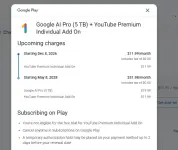
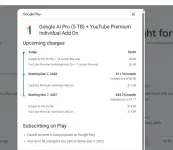
Nnmrisrl11 replied to the thread 🛠️ Tools Google AI Pro Portal [English] - 2-Years + 1-Month YT [Still working but account might be hold].You need to subscribe on tier 1 first, once succeed proceed with tier 2 and repeat the process, same goes with tier 3
-
Nnmrisrl11 reacted to joonLA's post in the thread 🛠️ Tools Google AI Pro Portal [English] - 2-Years + 1-Month YT [Still working but account might be hold] with Love.
THANK YOU PO!!!!! :love::love::love:
-
Nnmrisrl11 reacted to SyncIT's post in the thread 🛠️ Tools Google AI Pro Portal [English] - 2-Years + 1-Month YT [Still working but account might be hold] with Love.
galing neto. ma try bossing😁 angas din UI nakakalula ang galing
-
Nnmrisrl11 reacted to Dvin's post in the thread 🛠️ Tools Google AI Pro Portal [English] - 2-Years + 1-Month YT [Still working but account might be hold] with Love.
try ko buseng. thanks sa update
-
Nnmrisrl11 replied to the thread 🛠️ Tools Google AI Pro Portal [English] - 2-Years + 1-Month YT [Still working but account might be hold].need mo ata i clear ung subscription meron jan ung delete services, pero I suggest na use new acc para sure
-
Nnmrisrl11 replied to the thread 🛠️ Tools Google AI Pro Portal [English] - 2-Years + 1-Month YT [Still working but account might be hold].try mo boss, mag vpn baka gumana sau
-
Nnmrisrl11 replied to the thread 🛠️ Tools Google AI Pro Portal [English] - 2-Years + 1-Month YT [Still working but account might be hold].hindi mo need us email, boss, kahit ung normal mo, gamit ka dummy lang muna tapos gawa ka US payment profile then link ka ng PH payment method, goods na un pwede din VPN daw, try mo din
-
Nnmrisrl11 replied to the thread 🛠️ Tools Google AI Pro Portal [English] - 2-Years + 1-Month YT [Still working but account might be hold].Thanks, boss! Meron ako instructions dun kasama sa i-dl mo from the site, may guide din ako pano magkaron ng ibang payment region
-
-
Nnmrisrl11 reacted to Dvin's post in the thread 🛠️ Tools Google AI Pro Portal [English] - 2-Years + 1-Month YT [Still working but account might be hold] with Love.
support buseng. thank you., kaya di ko alam paano gamitin hahaha