PH
-
Welcome to PHCorner Forums! Sign up for free to unlock full access and exclusive privileges, including:
- Asking questions about computer and mobile issues
- Discovering internet tips for your mobile network and computer
Sylvaain's latest activity
-
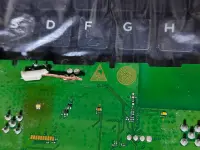
SSylvaain replied to the thread OPENLINE Huawei B315s-938 :Tool & Reloaded WebUI! [RELEASE] World First by Sylvain deClarini.Connect the 2 pins together by pressing a piece of copper wire (it's safe), keep pressing it and power your modem : if it shows no light, then you succesfully activated the USB mode and you can connect it to your PC / laptop using a male to male...
-
-
SSylvaain reacted to redred1's post in the thread OPENLINE Huawei B315s-938 :Tool & Reloaded WebUI! [RELEASE] World First by Sylvain deClarini with
 Love.
Mamaya sir pag uwi ko flash ko ulit, salamat po sir
-
SSylvaain replied to the thread OPENLINE Huawei B315s-938 :Tool & Reloaded WebUI! [RELEASE] World First by Sylvain deClarini.Granted boss ! Valid for 24 hours MOGO-KP23-YE76-WYX7-GYXK-99E2-VXSR-XQZ8-5CDQ
-
SSylvaain replied to the thread OPENLINE Huawei B315s-938 :Tool & Reloaded WebUI! [RELEASE] World First by Sylvain deClarini.Sure boss ! Valid for 24 hours starting now MOGO-Q8YS-4K7B-U9FV-RND7-LLKX-V9YN-BR5Y-VDXQ
-
SSylvaain replied to the thread OPENLINE Huawei B315s-938 :Tool & Reloaded WebUI! [RELEASE] World First by Sylvain deClarini.Thank you boss. Keep the sim in your modem and kindly reflash it Authorization code: MOGO-CQVH-EVDE-MPHR-WKP6-XZVJ-ZKFG-TYTW-S3WB
-
SSylvaain reacted to GovMaca's post in the thread 🔵 Globe Patulong po! B312-939 Admin Password with Love.
Maraming Salamat po Boss 🫡 Working po.
-
SSylvaain replied to the thread OPENLINE Huawei B315s-938 :Tool & Reloaded WebUI! [RELEASE] World First by Sylvain deClarini.Maybe your sim isn't recognized let's check that. Can you connect to your modem and open each link then send me a screenshot http://192.168.8.1/api/pin/simlock http://192.168.8.1/api/pin/status http://192.168.8.1/api/net/net-mode
-
SSylvaain replied to the thread OPENLINE Huawei B315s-938 :Tool & Reloaded WebUI! [RELEASE] World First by Sylvain deClarini.can you send me a screenshot of the band selection at http://192.168.8.1/html/mobilenetworksettings.html username: admin password: admin Check if every bands are enabled
-
-
SSylvaain reacted to x4ag's post in the thread 🔵 Globe Admin Access Globe Home Broadband (B315s-938) with Love.
Ayun, gumana na po! Maraming salamat, master! 🙏
-
SSylvaain replied to the thread 🔵 Globe Admin Access Globe Home Broadband (B315s-938).Here boss https://phcorner.org/threads/1986667/post-32141737
-
SSylvaain reacted to buray ni ina nya's post in the thread OPENLINE Huawei B315s-938 :Tool & Reloaded WebUI! [RELEASE] World First by Sylvain deClarini with Love.
Ok boss. Mamaya ko po hapon ma test. Feedback ako mamaya
-
SSylvaain replied to the thread OPENLINE Huawei B315s-938 :Tool & Reloaded WebUI! [RELEASE] World First by Sylvain deClarini.Providing an apk app is indeed part of the next releases big boss
-
SSylvaain reacted to donamicvelazkiz's post in the thread OPENLINE Huawei B315s-938 :Tool & Reloaded WebUI! [RELEASE] World First by Sylvain deClarini with Love.
Mas maganda pa ito kaysa kina Lucas,Jhowel kasi may Openvpn may ttl na din, kaso wala pa ko modem na ganito at d pa marunong gamitin yung File 😅.. Oky sana Hydol kong pwd Android phone lng gamitin mag openline Flashing katulad sa Bugok101...
-
SSylvaain replied to the thread 🔵 Globe Patulong po! B312-939 Admin Password.Login at http://192.168.254.254/ Username: admin Password: 2DE58326DAC
-
SSylvaain replied to the thread OPENLINE Huawei B315s-938 :Tool & Reloaded WebUI! [RELEASE] World First by Sylvain deClarini.Congrats ! Enjoy surfing on any sim boss
-
SSylvaain reacted to redred1's post in the thread OPENLINE Huawei B315s-938 :Tool & Reloaded WebUI! [RELEASE] World First by Sylvain deClarini with Love.
salamat po sir, 🙂 success na try ko to
-
SSylvaain reacted to antotitot's post in the thread OPENLINE Huawei B315s-938 :Tool & Reloaded WebUI! [RELEASE] World First by Sylvain deClarini with Love.
salamat keep sharing
-
SSylvaain reacted to Bhadz_2019's post in the thread OPENLINE Huawei B315s-938 :Tool & Reloaded WebUI! [RELEASE] World First by Sylvain deClarini with Love.
maraming salamat po sir
-
SSylvaain replied to the thread Pa Admin Access po.Login at http://192.168.254.254/ Username: admin Password: CE96A2D0992
-
SSylvaain replied to the thread OPENLINE Huawei B315s-938 :Tool & Reloaded WebUI! [RELEASE] World First by Sylvain deClarini.Post updated with the picture of the board showing the 2 pins to short