 PH
PHAccess this following App and Site for Free, No ads and Bypass US restriction:
 Youtube App (bypass No ads)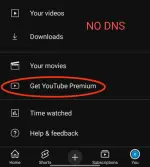
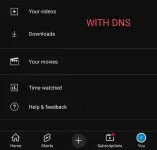 You do not have permission to view the full content of this post.
Log in or register now. (Watch Live Stream US Channels including Nba)
You do not have permission to view the full content of this post.
Log in or register now. (Watch Live Stream US Channels including Nba)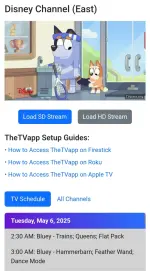
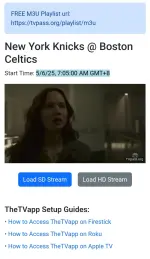 Stremio App (Watch Any Movies for Free on iOS, Android or TV)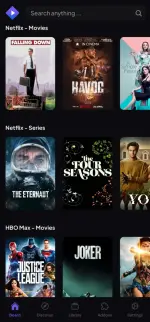
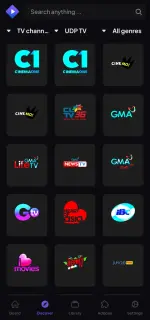
1. Download Stremio here: You do not have permission to view the full content of this post. Log in or register now.
2. Best Addons click:
You do not have permission to view the full content of this post. Log in or register now. & You do not have permission to view the full content of this post. Log in or register now. & You do not have permission to view the full content of this post. Log in or register now.
Other Premium App can Bypass Access:
If You Have U.S Account of this following:
Disney Plus (US)Max (with access nba live) (US)Nba.com (US)Sling App (US)Peacock TV (US)Primevideo (US)MGM+ (US)Britbox (US)Fubo (US)By Adding this DNS to your Device, it will Bypass Streaming Apps and Sites as mentioned Above (No Vpn Needed):
for Android :1. Go to Settings > Network & Internet > Private DNS.
2. Select Private DNS provider hostname.
3. Enter: 277kx0m8e7d.dns.controld.com
4. Save.
for Android TV :
1. Go to Settings > Network & Internet > Wi-Fi.
2. Select your network, then Advanced Settings
3. Set IP Settings to Static.
4. Enter DNS 1: 76.76.2.120 DNS 2: 76.76.10.120
5. Save and reconnect.
for iOS :
1. Download this: You do not have permission to view the full content of this post. Log in or register now.
2. In your "Settings", go to "Profile downloaded".
3. Tap on "Install" in the top right corner. Done.
for Samsung TV :
1. Go to Settings > Network > Network Status.
2. Select IP Settings, set DNS Setting to Manual. 3. Enter DNS 1: 76.76.2.120 DNS 2: 76.76.10.120
4. Save and reconnect.
for Windows :
1. Open Settings > Network & Internet > Ethernet or Wi-Fi.
2. Click your connection, then Edit under IP Settings.
3. Set to Manual, enable IPv4.
4. Enter Preferred DNS: 76.76.2.120
Alternate DNS: 76.76.10.120
5. Save.
for Mac :
1. Download the ControlD utility: You do not have permission to view the full content of this post. Log in or register now.
2. Install the utility and open it.
3. Copy and paste the resolver code: 277kx0m8e7d
3. Follow in-app instructions to configure DNS.
For Other TV (HiSense or other SmartTV that support DNS)
1. Go to Menu > Settings > Network > Network Configuration > Advance Settings
2. Go to IP Settings
3. IP Version should be IPV4
4. IP Setting Mode choose Manual
5. Enter DNS Server 1: 76.76.2.120
DNS Server 2: 76.76.10.120
6. Save
Note: The DNS used above is Valid Until My Dns still able to renew 

If may ads pa sa Youtube app nyo after mag add ng Dns, Clear Cache & Refresh niyo lang para ma fix.
Update:
If Gusto nyo mapagana sa TV or sa Windows. Add the Dns on your Android phone 1st, using dns for android na nasa taas. then Add the Dns for TV
-nsfwph access included


