🔒 Closed Windows 11 TPM BYPASS/CPU UNSUPPORTED

Status
Not open for further replies.

RyzenV

⚜️

*TUTORIAL THREAD​

Microsoft reveals how to bypass its own system requirements for Windows 11

*DONT FORGET THE MINIMUM REQ. FOR WINDOWS 11

  • Processor: 1 GHz or faster with 2 or more cores on a compatible 64-bit processor or System on a Chip (SoC)
  • Memory: 4 GB RAM
  • Storage: 64 GB or larger storage device
  • System firmware: UEFI, Secure Boot capable

fZmFMVCWipduWaxHU8Qd55.png

Simply press​
Code:
WIN + R

Type:​
Code:
regedit
Find​
Code:
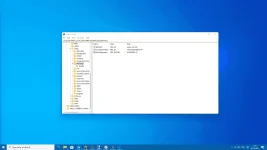
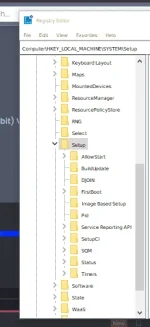
HKEY_LOCAL_MACHINE\SYSTEM\Setup\MoSetup
and right click the main panel and create a new DWORD (32-bit) Value with a name of
Code:
AllowUpgradesWithUnsupportedTPMOrCPU
and set its value to 1.

⚠️ FORGET THE PC HEALTH CHECKER, UNSUPPORTED PA RIN TALAGA YAN, PERO PROCEED NA KAYO SA INSTALLATION ⚠️
 
anong tpm lods?
You do not have permission to view the full content of this post. Log in or register now. technology is designed to provide hardware-based, security-related functions. A TPM chip is a secure crypto-processor that is designed to carry out cryptographic operations. The chip includes multiple physical security mechanisms to make it tamper-resistant, and malicious software is unable to tamper with the security functions of the TPM. Some of the key advantages of using TPM technology are that you can:

  • Generate, store, and limit the use of cryptographic keys.
  • Use TPM technology for platform device authentication by using the TPM’s unique RSA key, which is burned into itself.
  • Help ensure platform integrity by taking and storing security measurements.
 
Status
Not open for further replies.

About this Thread

  • 82
    Replies
  • 3K
    Views
  • 59
    Participants
Last reply from:
RIXIA

Online now

Members online
1,148
Guests online
4,592
Total visitors
5,740

Forum statistics

Threads
2,314,389
Posts
29,178,174
Members
1,184,120
Latest member
Jun1203
Back
Top