 PH
PH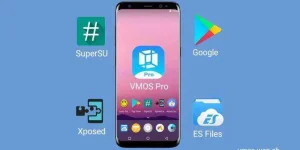
About Vmos Pro
What is VMOS PRO?
VMOS PRO will create a complete Android operating system with all the standard Android apps, features, and capabilities. That is, after creating a virtual environment, you can use it as usual. The difference is that all your activities will not affect the actual operating system at all. Amazing, right?
Advantages of VMOS PRO
The virtual Android environment on the phone created by VMOS PRO is very complete, following all the details and minor features of a standard Android operating system. The interface is no different from the one you are using, easy to manipulate, and experience. This simulated virtual environment also supports users to Root the device comfortably.
VMOS PRO also provides virtual keyboard systems with the quick settings menu. These things are always present on the home screen with various options. So, the process of downloading and testing all mobile applications (including games) is so quick and easy. If there are any problems, you just need to remove the operating system and remove the VMOS PRO application from the device. So easy, right?
In addition to the two main features above, VMOS PRO also has many outstanding features to help you freely use it without any worries.
As it can support using multiple app accounts at the same time. VMOS PRO can create a virtual Android environment separate from what is in the device. It is thanks to this feature that we have 2 operating systems that exist in parallel. So, no matter what you do, it will not affect anything on the main operating system.
Or VMOS PRO can copy apps from the main Android to the virtual Android so that you can use it as a second phone exactly like the original. This makes it easy to use virtual operating systems, so you can experience testing and manage tasks easily.
VMOS PRO can also display the virtual operating system as a Popup window. Switching between the main and virtual operating systems is as quick as switching from one window to another.
Are there any downsides?
VMOS PRO, like a few other applications that emulate the operating system environment, have the same thing in common: consuming the device’s memory. In the process of initializing and operating a second operating system in parallel with the main one, you will need a large-enough memory and powerful-enough CPU chip to carry them (and all tests that you are about to do on the virtual operating system). So, the device needs to be high-end enough and have a large memory to use this application smoothly. Specifically, at least an Android smartphone with 3 GB of RAM, 32 GB of storage, and Android version 5.1 or higher.
In addition to this drawback, VMOS PRO is almost highly appreciated in all aspects: form, features, operation, speed, and especially the ability to protect the official operating system in the device.
Vmos Pro version 2.0.0 Premium
Credit by:GuanYin
<deleted>
How to Download
View attachment 20220308_001208_edited.mp4
Tips: pag di ma open minsan ang rom at nang ask ng vip or premium click niyo lang yung profile den back kayo ulit sa home.