 PH
PH

This is a non-profit project whose sole purpose is to provide entertainment to people. This playlist compiles the official/unofficial streams for local channels and also for cable TV channels. You can help this project by reporting any dead streams so we could check the source. Do not report glitching or buffering streams because we cannot fix that.
Also, please refrain from posting this on any social media sites or public sites (FB, YT, GitHub, etc.) to prevent the playlist from being exposed to the public. Thank you so much and please cooperate.
Also, please refrain from posting this on any social media sites or public sites (FB, YT, GitHub, etc.) to prevent the playlist from being exposed to the public. Thank you so much and please cooperate.
Credits to Sir hi2u for all the guidance, overwhelming support, and for helping me build this project.
I would also like to thank nivr4m, hyunakim1992, and thedarkdragon11 for their suggestions and efforts.
Lastly, thank you to all responsible PHC members for securing the thread and for guiding the newcomers.
This playlist will update frequently. You must restart Kodi to see new channels.
Recommended to use the latest Kodi from Google Play Store or You do not have permission to view the full content of this post. Log in or register now.
Working on Kodi for PC, Android Phones, Tablets, or TV boxes.
Also, any other device that can run Kodi such as Raspberry Pi or Xbox One.
As requested by the PHC Administrators, every PHC member must be an established member to access the registration link. The PHC username is needed in order to create an account. Each member will have their own password to keep for themselves.
Recommended to use the latest Kodi from Google Play Store or You do not have permission to view the full content of this post. Log in or register now.
Working on Kodi for PC, Android Phones, Tablets, or TV boxes.
Also, any other device that can run Kodi such as Raspberry Pi or Xbox One.
As requested by the PHC Administrators, every PHC member must be an established member to access the registration link. The PHC username is needed in order to create an account. Each member will have their own password to keep for themselves.
Spoiler contents are visible only to Established Members.
To use the playlist you must install inputstream.adaptive.
If you use Android inputstream.adaptive is installed by default.
Skip this step and go to the hidden section to install IPTV simple.
If you use Android inputstream.adaptive is installed by default.
Skip this step and go to the hidden section to install IPTV simple.
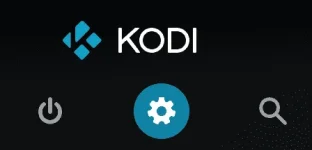
Step 1: Select settings from the Kodi menu
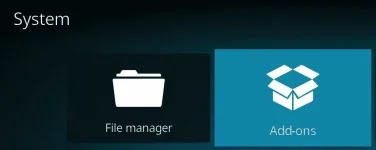
Step 2: Select add ons
Step 3: Select install from repository

Step 4: Select Kodi addon repository

Step 5: Select VideoPlayer Inputstream

Step 6: Select InputStream Adaptive and install it
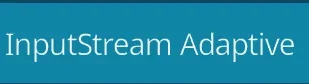
Without following this step most streams will not work. To use this playlist you must also install IPTV simple addon for Kodi.
Step 1: Select settings from the Kodi menu
Step 1: Select settings from the Kodi menu

Step 2: Select Addons
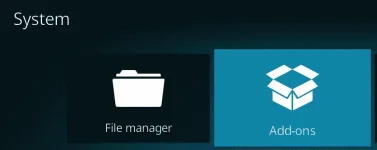
Step 3: Select Install from repository

Step 4: Select Kodi addon repository

Step 5: Select PVR Clients

Step 6: Select PVR IPTV Simple Client and Install it.
Step 7: After the install is completed select PVR IPTV Simple Client again. Select configure.
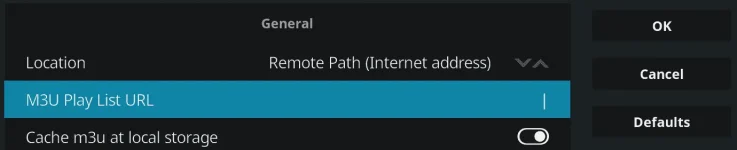
Step 8: Select M3U Playlist URL and enter.
Press OK. It will say needs to restart.
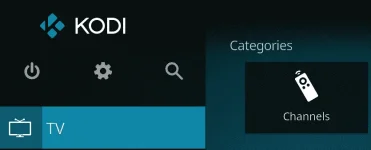
When you restart Kodi you will see TV in your menu. Click it and select channels. Enjoy your free TV!
Have a great day everyone!
