 PH
PH1. HWMonitor (Free & Pro)
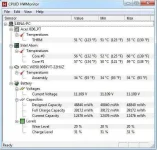
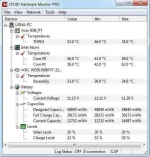
HWMonitor is a clever program that offers PC users real-time information about voltages, temperatures and installed speed coolers. HWMonitor is a program program that allows you to easily see the temperature on every component that is running on your computer. Such as, cpu, video card, hard drive, battery etc..
Some important features: Monitors the CPU clock or the CPU voltage, monitors the temperature of your CPU and your hard drive, and the temperature at which you can see if your laptop needs special attention or not.
FREE VERSION:
PRO VERSION (Serial Key Included in zip file):
2. SpeedFan
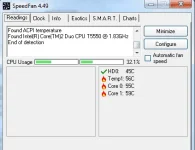
SpeedFan is a lightweight application that tracks the temperature of your laptop with explicit information about each core. The good point about Speed Fan is that, it displays the temperature in the system tray as well. So, you don’t need to switch or run the entire application again and again. Speed Fan is able to change the Fan Speeds with the changing temperature of your laptop.
uploaded file too large kaya di ko to maiaattach..sensya na,download niyo nlng dito mga pre!
3. CoreTemp
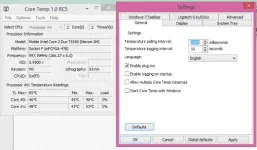
CoreTemp is another software to monitor the laptop temperature with detailed information. You can customize the settings and change the temperature polling intervals. You can also add the parameters to be monitored like CPU workload.
Para sa aking mga ka-phcorner, I highly recommend it for all pc/laptop owners, because overheating is the biggest enemy of your laptop. The best way to fight overheating is to monitor temperature of your laptop’s components! Enjoy guys! :yipee: :excited:
Sa mga nagtatanong sakin kung ano ang normal average temp ng pc/laptop, well, it is advisable to keep it under 70 degrees.
DIRECT DOWNLOAD LINK:
You do not have permission to view the full content of this post. Log in or register now.
You do not have permission to view the full content of this post. Log in or register now.
You do not have permission to view the full content of this post. Log in or register now.
You do not have permission to view the full content of this post. Log in or register now.
PASSWORD: googledotcom
HWMonitor is a clever program that offers PC users real-time information about voltages, temperatures and installed speed coolers. HWMonitor is a program program that allows you to easily see the temperature on every component that is running on your computer. Such as, cpu, video card, hard drive, battery etc..
Some important features: Monitors the CPU clock or the CPU voltage, monitors the temperature of your CPU and your hard drive, and the temperature at which you can see if your laptop needs special attention or not.
FREE VERSION:
PRO VERSION (Serial Key Included in zip file):
2. SpeedFan
SpeedFan is a lightweight application that tracks the temperature of your laptop with explicit information about each core. The good point about Speed Fan is that, it displays the temperature in the system tray as well. So, you don’t need to switch or run the entire application again and again. Speed Fan is able to change the Fan Speeds with the changing temperature of your laptop.
uploaded file too large kaya di ko to maiaattach..sensya na,download niyo nlng dito mga pre!
3. CoreTemp
CoreTemp is another software to monitor the laptop temperature with detailed information. You can customize the settings and change the temperature polling intervals. You can also add the parameters to be monitored like CPU workload.
Para sa aking mga ka-phcorner, I highly recommend it for all pc/laptop owners, because overheating is the biggest enemy of your laptop. The best way to fight overheating is to monitor temperature of your laptop’s components! Enjoy guys! :yipee: :excited:
Sa mga nagtatanong sakin kung ano ang normal average temp ng pc/laptop, well, it is advisable to keep it under 70 degrees.
DIRECT DOWNLOAD LINK:
You do not have permission to view the full content of this post. Log in or register now.
You do not have permission to view the full content of this post. Log in or register now.
You do not have permission to view the full content of this post. Log in or register now.
You do not have permission to view the full content of this post. Log in or register now.
PASSWORD: googledotcom
