 PH
PH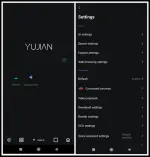
Requirements: 5.0+
Overview: Supports Google/Firefox extensions,Privacy protection, Combined search engine
Rainsee Browser is a fully-featured, highly customizable browser.
Features:
- Many extensions: You can install various fun-enhancing extensions like Tampermonkey, Adguard/ublock for ad blocking, and Privacy Badger for extra privacy protection.
- Privacy and security: We don't collect your private data and incorporate Firefox security components to safeguard your privacy while you browse.
- Site settings: You can individually adjust permissions for websites to prevent clipboard writes, access to your location, pop-ups, and more.
- AiTxt: Summarizes the webpage you're visiting with just one click, and you can keep asking—it's the age of AI.
- Aggregated search: Switch to Rainsee Search for aggregated search mode, making it easy to switch between search engines.
- Customizable appearance: You can customize the homepage, bottom toolbar, and menu bar according to your preferences.
What's new:
- Added cloud sync for browsing history, supporting multi-device synchronization.
- Bookmark cloud service now supports overwriting local data with cloud data and allows querying cloud records for download.
- Fixed an issue where "Exit" did not completely terminate all app processes.
- Optimized extension file import to support .crx files embedded within .zip archives.
- Improved download preview service.
- Optimized the desktop widget – Daily Planner.
ρáíd Info:
● Supported Languages: None;
● Supported Cpu Architecture: Armeabi-v7a, Arm64-v8a;
● Supported Screen Dpi: None.
● Untouch ρáíd Apk With Original Hash Signature.
● Certificate MD5 Digest: 8ccbe889048746fa76f60c6fbd2a69f9.
.Apks Bundle Installation:
SAI Instructions: [No Root]
1. Download And Install Latest SAI App (Split APK Installer) -
Spoiler contents are visible only to Established Members.
3. Install And Open SAI / Choose "Install APKs" Button / Find And Select Downloaded .apks Archive App;
4. Wait For Install And Done. Enjoy!.
Lucky Patcher Instructions: [No Root]
1. Download And Install Latest Lucky Patcher App;
2. Install And Open Lucky Patcher And Choose 'Rebuild & Install';
3. Find And Select Downloaded This .apks Archive App;
4. Wait For Install And Done. Enjoy!.
PS: Make Sure After Open SAI or Lucky Patcher You Allowed Storage Permission And Install Unknown Apps Permission!
Download
Download