PH
PH>>Part 2 Tutorial<<
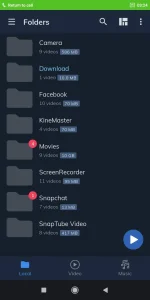
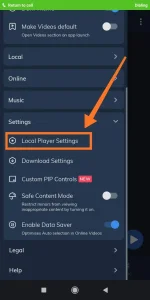
Step 1: Click "Local Player Settings"
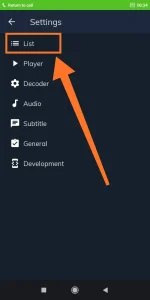
Step 2: Click "List"
Step 3: Swipe mo lang at Click "File extensions".
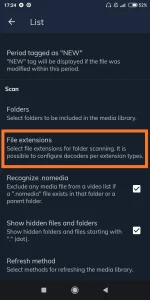
Step 4: Makikita mo lahat ng video file extension na support ni Mx Player, Click "Add"
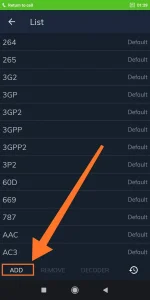
Step 5: Type mo yung nilagay mong file extension sa Tutorial na ito Link, sa case ko "default" yung nilagay ko. (default kasi yung nilagay ko para di kayo malito
 ), Click ok lang tapos balik kayo sa video list, refresh nyo yung video list ni MP (swipe down lang para ma refresh yung list ni MP)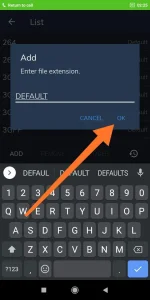
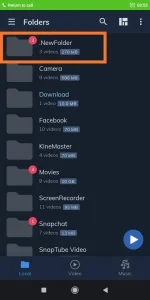
Kapag tapos na kayo manood remove nyo lang sa "File Extensions" list yung in-add nyo kanina, tapos refresh lang ulet yung video list
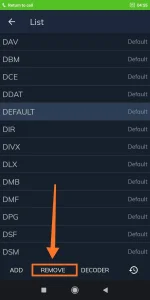
Salamat ulet paps at nakarating ka ulet dito sa baba, mabuhay ka