PH
PHS U K U N A
Forum Expert
Good day mga lods! 
Magpapamigay po tayo ng libreng Office 365 account sa mga ma sugid nating mga members ng PHC.

Basahin lamang po ng mabuti ang instructions sa baba.
Features:
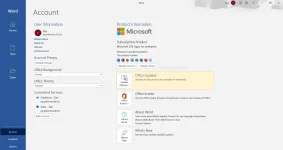
The latest Desktop(offline) version of Office

F.A.Q: Ano pinagkaiba ng A1 Plus sa A1?
Answer: Nasa feature sa taas naka indicate na pwede ito sa offline version ng office 365, just activate by logging in the account after installation ng office 365 sa PC, Mac, Tablet or Phone mo.
What's new:
self-registration 
 auto-assign license
1. Register ka lang po sa link na ito: You do not have permission to view the full content of this post. Log in or register now.
2. Tingnan mo sa email mo kung may message. Pag walang email it means hindi successful o may mali sa registration mo.
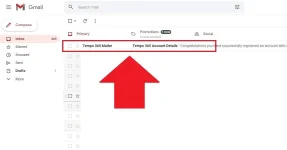
3. Pwede ka na mag change password kasi naka temporary password pa yan pagka register mo ng account.
eto link para mag login ka: You do not have permission to view the full content of this post. Log in or register now.
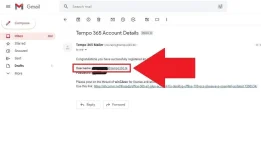
4. Post mo dito yung Username ng account mo galing sa email a sinend sayo ng registration. Para maiwasan ma delete yung account mo. Eto yun:
5. Check mo kung may license na yung account mo dito: You do not have permission to view the full content of this post. Log in or register now.
Note: FEEDBACK IS A MUST! para ganahan naman ako magbahagi. Sige kayo DELETE ko yang account pag walang feedback. Hahaha.