 PH
PH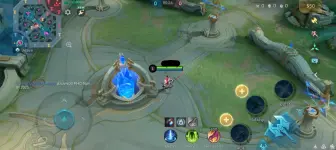
Instructions:
- Go to the MLBB files, then open the mini ρá†ch folder.
- Find the folder with a name like ZC_6428846756.
- Copy that folder’s exact NAME, then delete the entire folder.
- Create a new folder and paste the name you copied.
OR empty folder, see below the image.
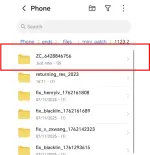
Next, go to:
Android/data/com.mobile.legends/files/dragon2017/assets/Document/android
- Delete the following files:
- res_skip_patch.xml
- ResCheckConf.unity3d
- ResCheckConf.xml
- After that, extract the drone view ZIP file.
- Copy all its contents, including the folders,
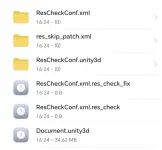
and paste them into this directory:Android/data/com.mobile.legends/files/dragon2017/assets/Document/android
And there you go — enjoy!
LINK:
You do not have permission to view the full content of this post. Log in or register now.
You do not have permission to view the full content of this post. Log in or register now.
You do not have permission to view the full content of this post. Log in or register now.
Note:
Every time you open the MLBB app again, you’ll need to repeat these steps.
Alternative
Feed back please. Thank you