 PH
PHacervergel87
Forum Guru

Windows XP, Windows XP x64, Windows Vista, Windows Vista x64, Windows 7, Windows 7 x64, Windows 8, Windows 8 x64,
KMPLAYER is a korean movie and audio player that supports a wide range of codecs and file formats, It has full VCD/DVD playback functionality. KMPlayer is a software that allows you to play audio and video files.
The user interface is neat and intuitive, all options are available on right click. The software has multi-language support: more than a dozen with the possibility to get more. It can handle pretty much any known video format, from 3GP to DVD.
The player handles a wide range of audio, video and subtitles formats and allows one to capture audio, video, and screenshots. It provides both internal and external filters with a fully controlled environment in terms of connections to other splitters, decoders, audio/video transform filters and renderers without grappling with the DirectShow merit system (a system of selecting and prioritizing codecs across the entire Windows operating system[12]). Internal filters are not registered into the system's registry to prevent the operating system from confusing system filters with K-Multimedia Player's filters
The player can set many audio and video effects, slow down or increase playback speed, select parts of a video as favorites, do various A-B repeats, remap the keys of remote interface for HTPC including overlay screen controls, and change a skin dynamically depending on a media type playing. KMP is completely customizable thanks to a wide selection of skins and color schemes, as well extensive the configuration options.
The player is distributed on online under the names "The KMPlayer" and "KMPlayer". Its official forums refer to it as "The KMPlayer."
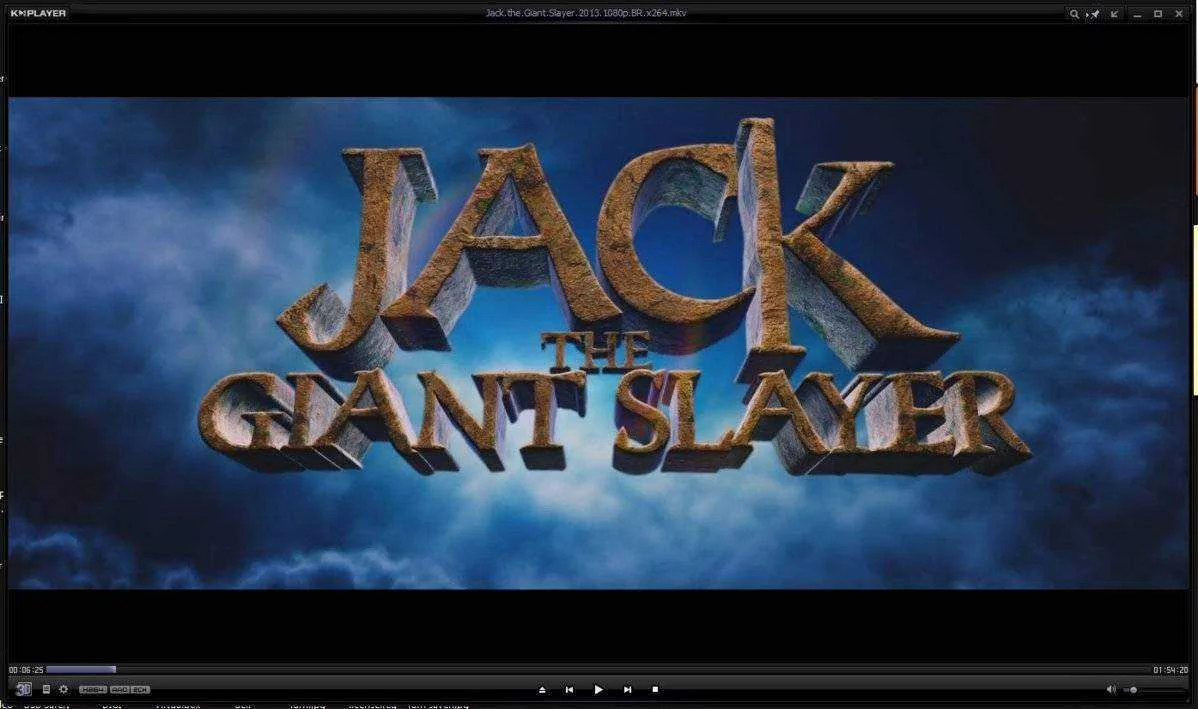
SCREEN SHOT
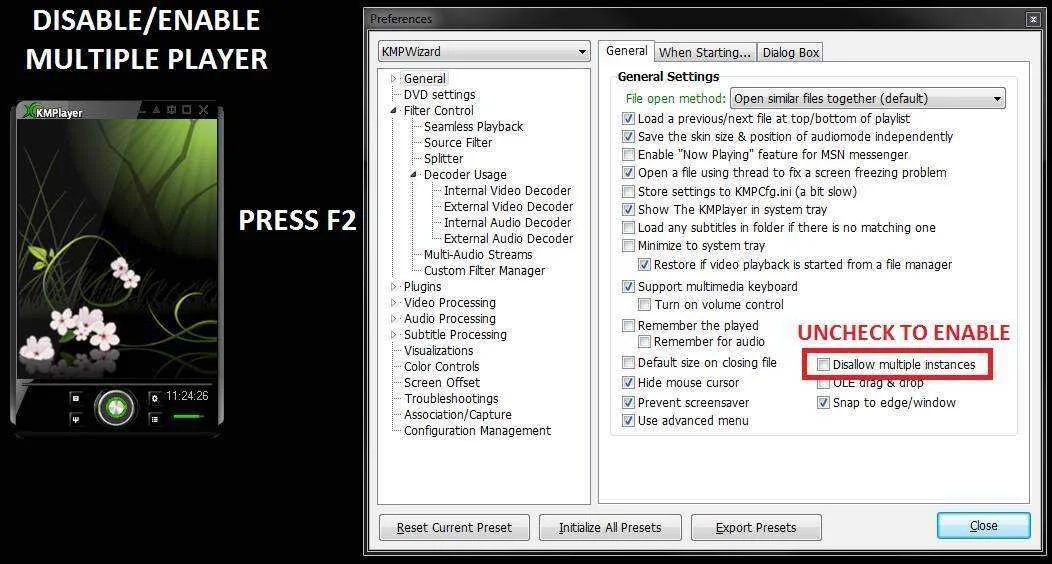
---------------------------- MULTIPLE PLAYER MODE ---------------------------
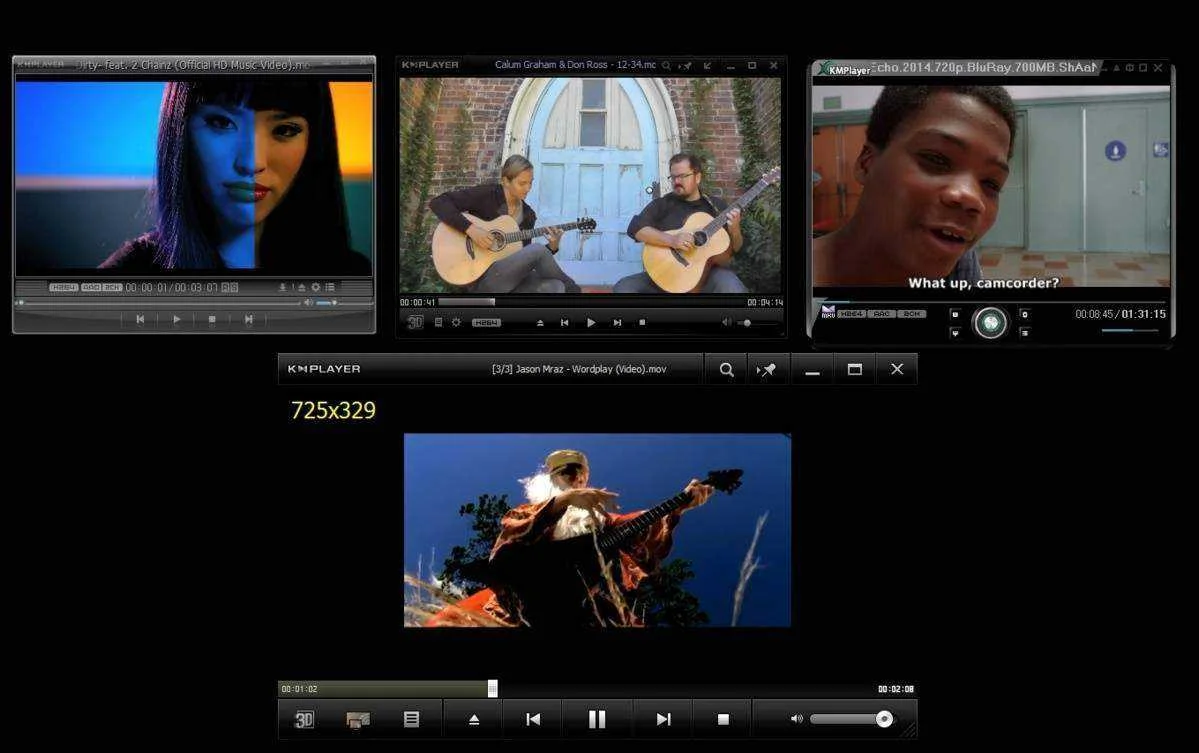
DONE
------------------------------------------------------------------------------------------------------------------------------------------------------------------------------------------------------------------------------------------------------------------------------------------
D0WNL0AD MOV!ES HERE!
-------------------------------------------------------------------------------------------------------------------------------
---------------------------- MULTIPLE PLAYER MODE ---------------------------
DONE
------------------------------------------------------------------------------------------------------------------------------------------------------------------------------------------------------------------------------------------------------------------------------------------
D0WNL0AD MOV!ES HERE!
-------------------------------------------------------------------------------------------------------------------------------
DESKTOP MODE:
>>WINDOWS XP-while playing a video, just press 9 or shift+enter .
Step 1: Switch KMplayers Video Renderer ( just right click the player, navigate to >video advance> video renderer)>DESKTOP MODE USING VISTA AND WINDOWS 7 <<
select to either Overlay Mixer or DirectDraw Overlay Surface
Step 2: Right click on your Vista or win7 desktop and select Personalize,
next Select Desktop Background and select Solid Colors
(this will disable your wallpaper, so we can set the desktop to the proper color)
Step 3: Now this is the Important part! To get Overlay mode working we need
to use only one color and that is black. ( note: no other color can enable the desktop mode)
Step 4: To enter Desktop mode Press Shift+enter while playing a movie.
Done! DESKTOP MODE na ang movie mo.
NOTE: DESKTOP MODE WILL NEVER WORK WHILE ON MULTIPLE PLAYER MODE
-------------------------------------------------------------------------------------------------------------------------------
-------------------------------------------------------------------------------------------------------------------------------
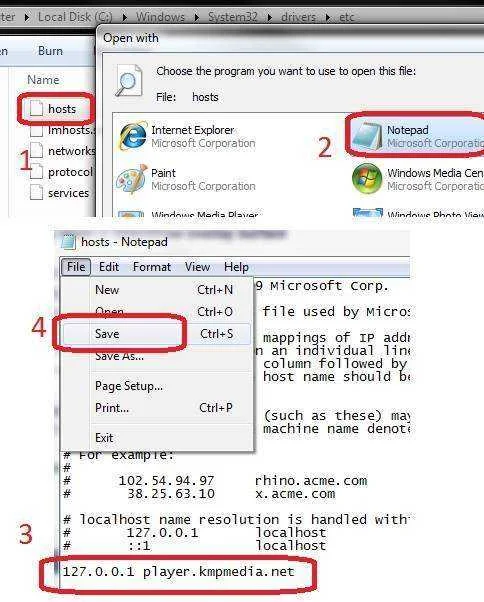
For version 3.9 add this "127.0.0.1 player.kmpmedia.net" on host file to disable advertisement on the player.
- c:\windows\system32\drivers\etc\hosts
-------------------------------------------------------------------------------------------------------------------------------
For version 3.9 add this "127.0.0.1 player.kmpmedia.net" on host file to disable advertisement on the player.
- c:\windows\system32\drivers\etc\hosts


