 PH
PH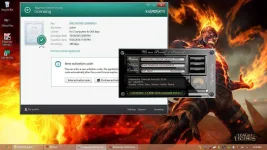
Instructions:
1) Download Kaspersky Internet security 2014 Trial to its official site : You do not have permission to view the full content of this post. Log in or register now.
2) Install it
3) Remove Old License (If you have any)
4) Pause/Disable Protection
5) Disable The Self-Defence
6) Exit KIS from the Taskbar
7) You may Run the ρá†ch as Admin and Click on "ρá†ch" button
8) After you have done it, unpause and enable self-defence
9) Finally Updated & Working! Smile!!

10) Enjoy and leave a comment/feedback please!

DIRECT DOWNLOAD LINK: You do not have permission to view the full content of this post. Log in or register now.
PASSWORD: googledotcom
Thread Added on "häçking" Section (Kaspersky Internet Security ρá†ch) of I Know The Softwares On Your PC/Laptop When You're Doing..