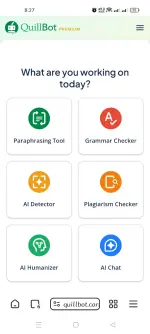
👨‍🏫 Tutorial Quillbot Premium on Android Browser (Step-by-Step) | 1:00AM 1/20/26

Veraix

Forum Expert

Step-by-Step Guide:

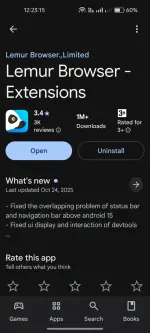
  1. Download Lemur Browser:

    • Go to the Play Store and search for "Lemur Browser".​

    • Download and install the app on your device.​

    • 1.webp

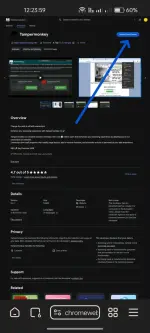
  2. Install Tampermonkey:

    • Open the Lemur Browser app.​

    • Copy this URL:
      You do not have permission to view the full content of this post. Log in or register now.

    • Paste it into the Lemur Browser and click "Add to Chrome".​

    • 2.webp

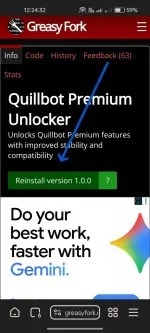
  3. Install Quillbot Premium Unlocker Script:

    • Copy this URL:
      You do not have permission to view the full content of this post. Log in or register now.

    • Paste it into the Lemur Browser and click "Install this script".​

    • 3.webp

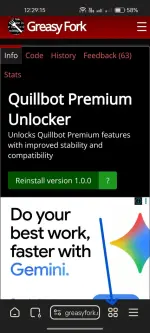
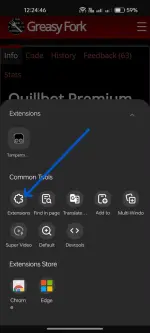
  4. Enable Developer Mode:

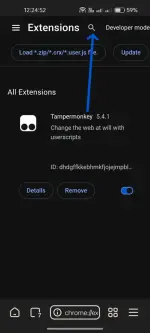
    • Navigate to Extensions in the Lemur Browser.​

    • 4.webp
      5.webp

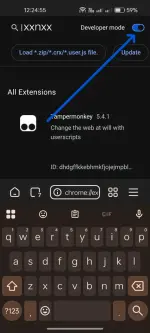
    • Ensure that Developer mode is toggled on.​

    • 6.webp
      If not, click the search button, type "xxnxx", and switch it to the on position
      7.webp

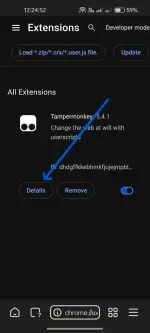
  5. Configure Tampermonkey:

    • Click the "Details" link in Tampermonkey.​

    • 8.webp

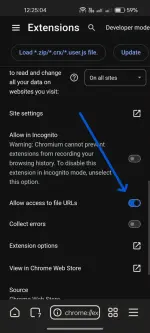
    • Enable "Allow access to file URLs".​

    • 9.webp

  6. Sign into Quillbot:

    • Go to You do not have permission to view the full content of this post. Log in or register now. using Lemur Browser.​

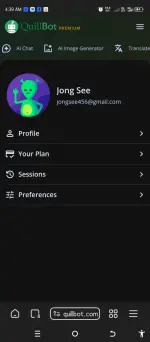
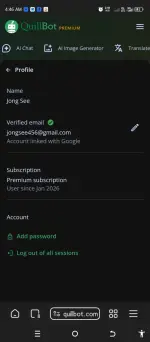
    • Sign into your account.​


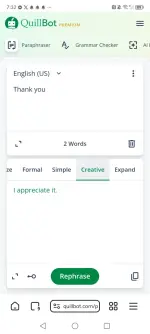
Congratulations, you now have lifetime access to Quillbot Premium!
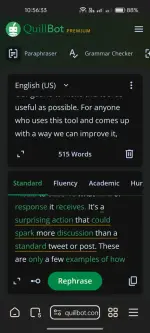
10.webp
 
maraming salamat po master, subukan ko po ngayon feedback po ako pag napasok ko na po
 

About this Thread

  • 10
    Replies
  • 188
    Views
  • 9
    Participants
Last reply from:
IMSHY01

Trending Topics

Online now

Members online
346
Guests online
908
Total visitors
1,254

Forum statistics

Threads
2,287,976
Posts
29,048,019
Members
1,215,839
Latest member
jack1121
Back
Top