🔒 Closed HELP!!!! "The Disk is Write Protected"

Status
Not open for further replies.

monarchie123

Established
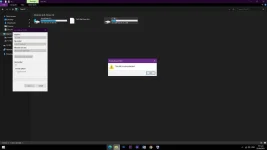
Guys patulong ano po ba pwede gawin dito? full storage po siya tapos nireformat ko po sa NTFS, then nag copy na ko ng movies, after 1 movie nag stop po sya mag copy 2gb lang na copy out of 12gb. Then nung irereformat ko po sana siya yun na po yung lumalabas "The disk is write protected", triny ko na po mga tutorial sa youtube ayaw ma fix. :( baka virus to :( isa lang pa naman yung flashdrive ko. pa help po sa na sa mga may alam. Thanks in advance 😭

Untitled2.webp
 
try mo ito paps,
open "RUN"
diskpart
list disk
select disk 1

attributes disk clear readonly

or try this,
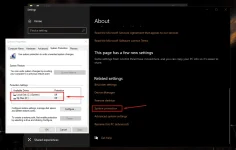
properties of my computer, hanapin mo yung system protection, it should "OFF"
hope it helps
1650834420274.webp
 
sintomas yan ng fake usb flash drive.... pero kung wala kang magamit ay yun reliable dyan 20% of total capacity so gamit ang diskpart command, kung kabisado mo ang diskpart ay gamitin mo yun command line na create partition primary size=4096 bale magiging 4gb yan flash drive at hindi yan magkakaerror
 
Status
Not open for further replies.

About this Thread

  • 5
    Replies
  • 963
    Views
  • 5
    Participants
Last reply from:
PHC_LaCe12

Trending Topics

Online now

Members online
636
Guests online
985
Total visitors
1,621

Forum statistics

Threads
2,277,843
Posts
28,979,206
Members
1,229,107
Latest member
worldteens2021
Back
Top