PH
PHHow to create Virtual WiFi using HPI?, it sounds good right?
How it Works?
+ Creating your own WiFi in your PC/Laptop, can share internet from Internet Adaptor to Hosted WiFi Adaptor.
Instruments needs:
+ Http Proxy Injector(from link You do not have permission to view the full content of this post. Log in or register now.)
- Laptop or PC
- Administrator User for Windows(Not Guest User)
- WiFi Adaptor or Bulit-in WiFi Adaptor
- Brain
For Laptop or PC:
(Note: No WiFi Adaptor, No Results)
1. Make sure you are running Administrator User in your Laptop or PC.
2. Visit and Download HPI Installer at above link.
3. Install HPI and input password: a-dev1412
4. Until it finished, open HPI.
5. Setup your own credentials(make sure it's working) for HPI App.
6a. Install TAP Driver via Tool > Install TAP.
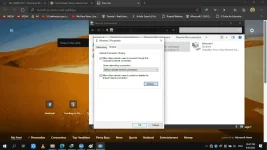
6b. Go to Control Panel > Network and Sharing Centre > Change Adapter Settings > Open Properties who have TAP-Windows Adapater V9
Example:
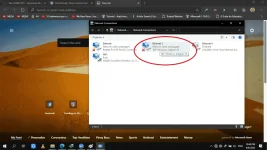
2nd Pic: TAP-Windows Adapter V9's Properties:
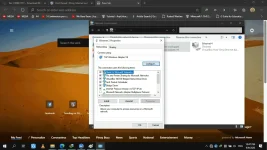
3rd Pic: Click panel of Sharing
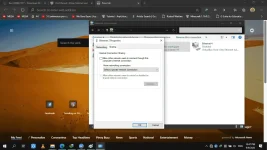
4th Pic: Click Settings
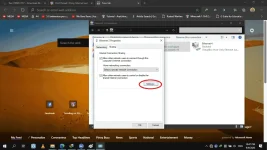
5th Pic: Choose port, example 1700 and 1701
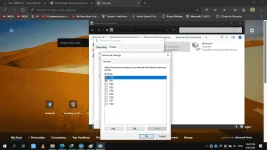
Then Okay, and Okay, and exit, proceed to Step 6c.
6c. Back to HPI, check: "Mode", then choose "Shell2Tap".
7. Open Panel for "Virtual WiFi"
8. Make input your own SSID and Password(Aleast 8 characters), after you input click Setup.
9. Find: Connection to Share: TAP-Windows Adaptor V9
Connection to Share: TAP-Windows Adaptor V9
Share Connection to: ??
10. Start WiFi to Create own WiFi then connect your devices to your wifi.
Enjoy...