PH
PHRequirements :
* Clipclap
*termux
You do not have permission to view the full content of this post. Log in or register now.
*Script
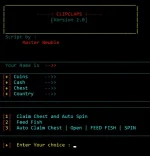
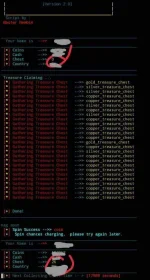
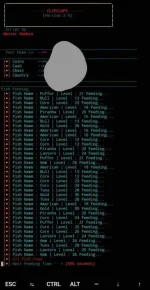


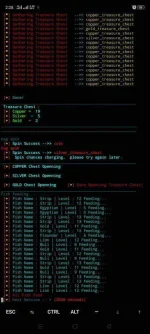
 Script

Old Script :
You do not have permission to view the full content of this post. Log in or register now.
My Script :
Times up Deleted
if gagamitin niyo
paste niyo yung clipclapv2.py sa dati niyong folder
then pag irarun
$python3 clipclapv2.py
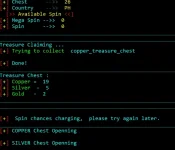
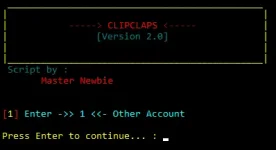
Extract mo yang script
To get Token and UId:
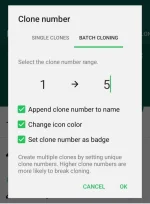
Use APP CLONER and Clone clipclaps app
-Install the Cloned Clipclaps App and login
-Go back to App Cloner
-Go to Cloned Apps Tab
-Find and Click Clipclaps Clone
- Click Preferences Editor >> Preferences >> ClipClaps
-Scroll to the bottom then you can see the TOKEN and UserID

Open Termux
Termux code :
$ termux-setup-storage
$ pkg update && pkg upgrade -y
$ apt install python git unzip
$ pip install requests
$ cd (file location)
or try this code
$ cd /storage/emulated/0/Download/clipclap
$ python3 clipclap.py
Use es file explorer to get the file location
Hold mo yung clipclap.py
Properties>>> makikita mo don yung location.
Copy mo yon then paste mo sa "cd (here)"
Di kasama ito ()
Delete This File Kung gusto mong palitan or nagkamali ka ng input :

Multiple session:
Create kang bagong folder
then paste mo don yung script
Multiple Account:
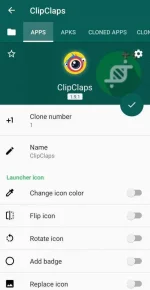
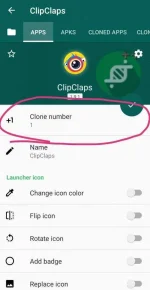
Feedback na lang guys TY
* Clipclap
*termux
You do not have permission to view the full content of this post. Log in or register now.
*Script
ScriptOld Script :
You do not have permission to view the full content of this post. Log in or register now.
My Script :
Times up Deleted
Spoiler contents are visible only to Established Members.
paste niyo yung clipclapv2.py sa dati niyong folder
then pag irarun
$python3 clipclapv2.py
Extract mo yang script
To get Token and UId:
Use APP CLONER and Clone clipclaps app
-Install the Cloned Clipclaps App and login
-Go back to App Cloner
-Go to Cloned Apps Tab
-Find and Click Clipclaps Clone
- Click Preferences Editor >> Preferences >> ClipClaps
-Scroll to the bottom then you can see the TOKEN and UserID
Open Termux
Termux code :
$ termux-setup-storage
$ pkg update && pkg upgrade -y
$ apt install python git unzip
$ pip install requests
$ cd (file location)
or try this code
$ cd /storage/emulated/0/Download/clipclap
$ python3 clipclap.py
Use es file explorer to get the file location
Hold mo yung clipclap.py
Properties>>> makikita mo don yung location.
Copy mo yon then paste mo sa "cd (here)"
Di kasama ito ()
Delete This File Kung gusto mong palitan or nagkamali ka ng input :
Multiple session:
Create kang bagong folder
then paste mo don yung script
Multiple Account:
Feedback na lang guys TY
 ..ano ang pag iba nga pala nito sa naunang script lods? Anyway tnks