 PH
PHPHC - Heisenberg
Forum Veteran
Full tutorial kung paano bagohin ang lobby at in-game music.
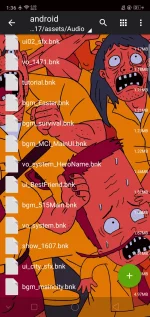
MUST HAVE:
ZARCHIEVER:
Apkpure:
You do not have permission to view the full content of this post. Log in or register now.
Playstore:
You do not have permission to view the full content of this post. Log in or register now.
BNK FILE/S
In-game background music:
You do not have permission to view the full content of this post. Log in or register now.
Lobby background music:
You do not have permission to view the full content of this post. Log in or register now.
UTAK.APK
TUTORIAL:
1. Extract the downloaded zip file
2. Move or copy to Android/data/com.mobile.legends/files/dragon2017/assets/audio/android/
3. Check apply to all files then click replace
4. Open Mobile Legends
Done. Enjoy your new background music.
Note: Suggest mag save kayo ng backup file ng original na bnk file.
MUST HAVE:
ZARCHIEVER:
Apkpure:
You do not have permission to view the full content of this post. Log in or register now.
Playstore:
You do not have permission to view the full content of this post. Log in or register now.
BNK FILE/S
In-game background music:
You do not have permission to view the full content of this post. Log in or register now.
Lobby background music:
You do not have permission to view the full content of this post. Log in or register now.
UTAK.APK
TUTORIAL:
1. Extract the downloaded zip file
2. Move or copy to Android/data/com.mobile.legends/files/dragon2017/assets/audio/android/
3. Check apply to all files then click replace
4. Open Mobile Legends
Done. Enjoy your new background music.
Note: Suggest mag save kayo ng backup file ng original na bnk file.
