 PH
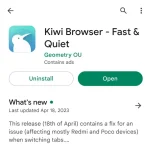
PHStep 1 - Download and install Kiwi browser
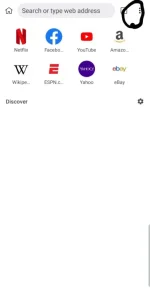
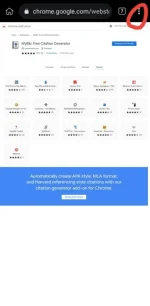
Step 2: Click this 3 dots
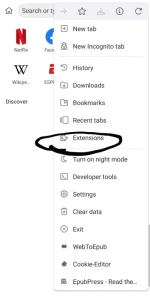
Step 3: Click extension
Step 4 Click +from the store
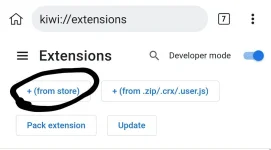
Step 5: Search any extension that you want to add to chrome. Like what I said earlier merong iba na di gagana lalo na if pangpc talaga ang function nito. For example, ang hahanapin ko is ang ''My bib''
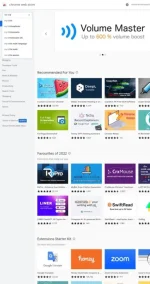
Step 6: Syempre add to chrome mo
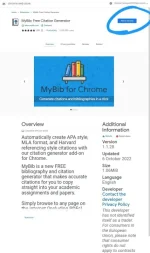
Step 7: Click mo ulit yung 3 dot sa gilid and scroll down. Makikita muna don sa pinakaibaba mga extension mo.
Step 8: Click mo yung extension syempre. Like sa akin, clinick ko ang my bib na inadd ko kanina.
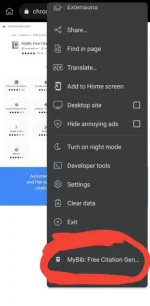
Step 9: Viola, working siya
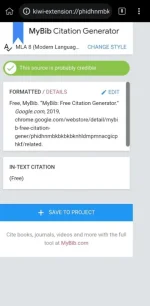
ENJOYYYY.
Other downloader site:
1. https://phcorner.org/threads/free-sites-to-download-tiktok-videos-without-watermark-no-ads.1770014/
2. https://phcorner.org/threads/free-site-to-download-YøùTùbé-videos-in-different-formats-like-mp3-mp4-part-2.1770835/#post-26485990
3. https://phcorner.org/threads/free-sites-to-download-tiktok-videos-without-watermark-no-ads.1770014/
Related links:
1. https://phcorner.org/threads/free-s...ing-the-url-link-useful-for-students.1754224/
2. https://phcorner.org/threads/browse...-lalo-na-if-pangpc-ang-function-nito.1752928/
3. https://phcorner.org/threads/how-to-use-cookies-on-netflix-and-other-sites.1773017/#post-26504598
