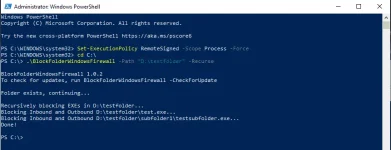
PH
PHAre you tired of manually adding all exe`s and configuring to your needs?
Let me introduce to youYou do not have permission to view the full content of this post. Log in or register now. by You do not have permission to view the full content of this post. Log in or register now.
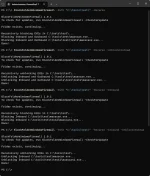

A script that lets you add all EXE`s from a folder to the firewall and block connections both Inbound and Outbound.
Keep in mind that this uses command line (CMD or Powershell) to execute with it`s functions through parameters. But don`t worry, there are examples and within the script so you only need to copy the folder path you wanna add.
Steps:
1. Download and get the latest Script.
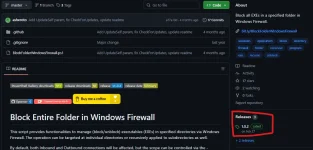
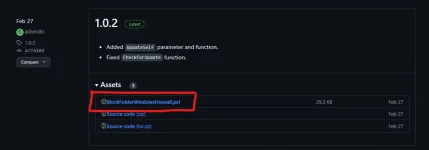
2. Head to the Location of the Script and Hold Shift and Right-Click and select Open Powershell. (Always run at Administrator Privileges)
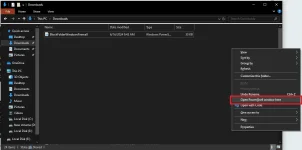
3. Copy the Folder Path of the EXE`s you wanna add to firewall and set your parameters.


Syntax:
.\BlockFolderWindowsFirewall -Path "Folder Path" -Parameter -Parameter
Parameters:
Parameter | Description |
|---|---|
| -Path | The folder of EXEs to block/unblock. |
| -Recurse | Scans the folder and subfolders for EXEs. |
| -UnblockInstead | Unblocks the EXEs in a folder or subfolder. |
| -Inbound | Blocks all inbound connections for the EXEs in a folder or subfolder. |
| -Outbound | Blocks all outbound connections for the EXEs in a folder or subfolder. |
| -CheckForUpdate | Checks if there is an update available for the script. |
| -UpdateSelf | Updates the script to the latest version. |
| -Help | Displays the help message. |
| -Version | Shows the current version of the script. |
Examples:
Description | Command |
|---|---|
| Block all EXEs in a specified folder | .\BlockFolderWindowsFirewall -Path "Folder Path" |
| Block all EXEs in a specified folder and its subfolders | .\BlockFolderWindowsFirewall -Path "C:\Folder\Subfolder" -Recurse |
| Block only the inbound connections for EXEs in a specified folder | .\BlockFolderWindowsFirewall -Path "C:\Folder\Subfolder" -Inbound |
| Block only the outbound connections for EXEs in a specified folder | .\BlockFolderWindowsFirewall -Path "C:\Folder\Subfolder" -Outbound |
| Unblock all EXEs in a specified folder | .\BlockFolderWindowsFirewall -Path "C:\Folder\Subfolder" -UnblockInstead |
| Unblock all EXEs in a specified folder and its subfolders | .\BlockFolderWindowsFirewall -Path "C:\Folder\Subfolder" -Recurse -UnblockInstead |
| Unblock only the inbound connections for EXEs in a specified folder | .\BlockFolderWindowsFirewall -Path "C:\Folder\Subfolder" -UnblockInstead -Inbound |
| Unblock only the outbound connections for EXEs in a specified folder | .\BlockFolderWindowsFirewall -Path "C:\Folder\Subfolder" -UnblockInstead -Outbound |
| Display help for the script | .\BlockFolderWindowsFirewall -Help |
| Check the current version of the script | .\BlockFolderWindowsFirewall -Version |
| Check if there is an update available for the script | .\BlockFolderWindowsFirewall -CheckForUpdate |
Errors
If ever you encounter this error,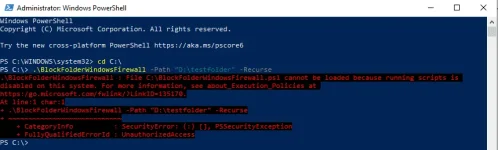
Do this First.
This will only Remove the Execution Policy on the Current Command Line and will set back to Default after you exit. Refer to this You do not have permission to view the full content of this post. Log in or register now. for more info.Set-ExecutionPolicy RemoteSigned -Scope Process -Force
Output: