 PH
PHThis is how to add background music into your favorite application:
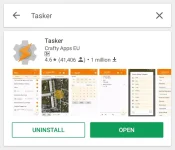
1- Download "Tasker" yung link nasa baba. Meron din siya sa play store ρáíd apps.
Install......
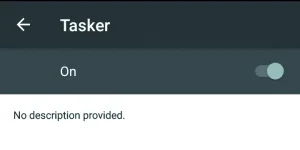
2- Go to setting of your phone scroll down click "accessibility"
Makikita niyo ung tasker then click and on.
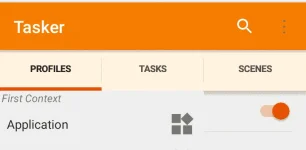
3. Open "tasker" click "+ icon" then click "application".
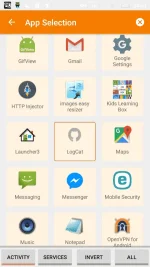
4.- Pili kayo ng gusto nyong application na lagyan ng background music tapos " click".
Then click again the "arrow" in your upper left corner.
5.Click "new task"
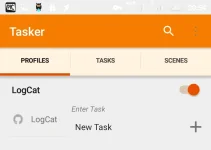
Click "check icon"
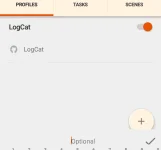
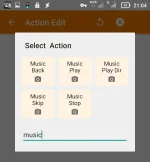
6.Click "+icon" to add action.
Tapos type "music" then enter "music play"
7.Use search button "upper right" then select your song.
Dapat nasa local ung kanta wala sa sdcard. then "click"
Tapos check niyo ung "loop" double top "arrow" in your upper left.
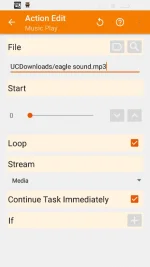
Mapupunta kayo dito.
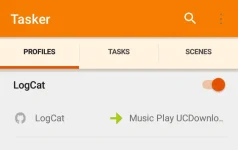
Tapos "long press" music play para lumabas si " add exit task"
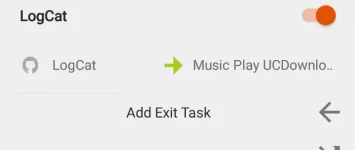
Tapos click.1. add exit task.
2. newtask.
3. check icon.
Add action click " +icon" . Type "music again".
Click " music stop" then double top "arrow in your left corner. Tapos makikita niyo toh.
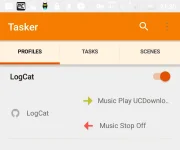
8. Long press the "application" sample logcat.
Then click "add"
click "state"
click "display"
click "display state".
Turn on:
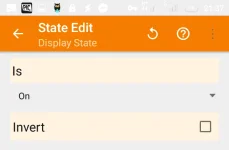
......then click arrow in your upper left corner. OK na yan.
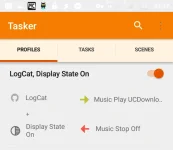
done! Close " tasker" Open your application.
You do not have permission to view the full content of this post. Log in or register now. Tasker application
1- Download "Tasker" yung link nasa baba. Meron din siya sa play store ρáíd apps.
Install......
2- Go to setting of your phone scroll down click "accessibility"
Makikita niyo ung tasker then click and on.
3. Open "tasker" click "+ icon" then click "application".
4.- Pili kayo ng gusto nyong application na lagyan ng background music tapos " click".
Then click again the "arrow" in your upper left corner.
5.Click "new task"
Click "check icon"
6.Click "+icon" to add action.
Tapos type "music" then enter "music play"
7.Use search button "upper right" then select your song.
Dapat nasa local ung kanta wala sa sdcard. then "click"
Tapos check niyo ung "loop" double top "arrow" in your upper left.
Mapupunta kayo dito.
Tapos "long press" music play para lumabas si " add exit task"
Tapos click.1. add exit task.
2. newtask.
3. check icon.
Add action click " +icon" . Type "music again".
Click " music stop" then double top "arrow in your left corner. Tapos makikita niyo toh.
8. Long press the "application" sample logcat.
Then click "add"
click "state"
click "display"
click "display state".
Turn on:
......then click arrow in your upper left corner. OK na yan.
done! Close " tasker" Open your application.
You do not have permission to view the full content of this post. Log in or register now. Tasker application