PH
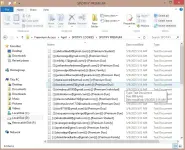
PHHello po! Ito na naman po ako with another tutorial kung saan ibabahagi ko po sa inyo kung paano makapag-Spotify Premium nang libre gamit cookies. Working po to sa akin gamit Chrome Browser sa PC, yung Spotify Premium Cookies at yung chrome extension tool na ibabahagi ko po sa ibaba. Eto yung steps:
⚠ WAG MAG-LOG OUT! (Pag nag-sign out ka, mawawala yung access at baka di na gumana ulit.)
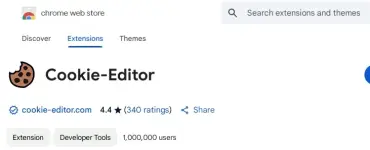
 Download nyo muna yung You do not have permission to view the full content of this post.
Log in or register now. <- Click nyo po to
Download nyo muna yung You do not have permission to view the full content of this post.
Log in or register now. <- Click nyo po to
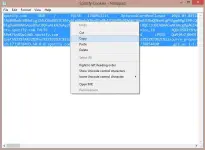
 Kopyahin ang You do not have permission to view the full content of this post.
Log in or register now. (siguraduhing kumpleto ang text).
Kopyahin ang You do not have permission to view the full content of this post.
Log in or register now. (siguraduhing kumpleto ang text).
 Punta kayo sa You do not have permission to view the full content of this post.
Log in or register now.
Punta kayo sa You do not have permission to view the full content of this post.
Log in or register now.
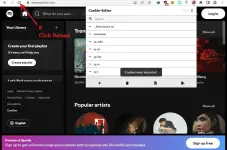
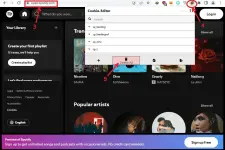
 Open nyo yung Cookie-Editor extension
 Click nyo yung “Delete All” (yung trash can icon)
 Pindutin yung “Import” button
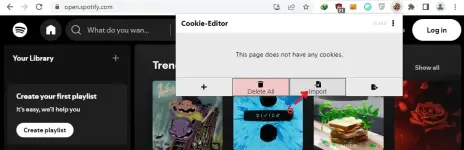
 Paste nyo yung You do not have permission to view the full content of this post.
Log in or register now. then click Import
Paste nyo yung You do not have permission to view the full content of this post.
Log in or register now. then click Import
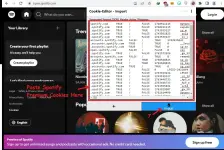
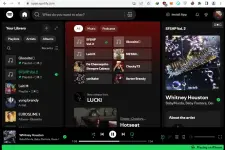
 Refresh o Reload nyo yung page – dapat may Spotify Premium ka na!
IMPORTANTE:
⚠ Wag galawin yung account details (email, password, username, etc.) para tumagal ‘yung account.⚠ WAG MAG-LOG OUT! (Pag nag-sign out ka, mawawala yung access at baka di na gumana ulit.)