PH
PHjologzz0606
Forum Expert

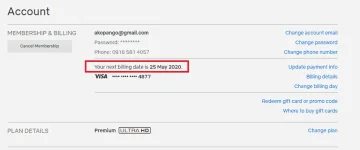
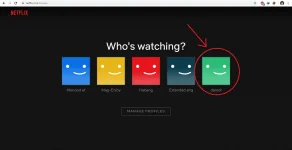
Netflix cookies works as a medium to communicate with the Netflix account servers and your browser. By loading the Netflix cookie on your browser, you will be automatically logged in to Netflix premium account without entering the username and password. Without any further ado let’s go straight to main purpose of this thread.

This thread about “Netflix cookie” is mainly for education purpose. We are making it easier for you to know the way you can get a free trial to test their service. If you really love the contents on Netflix then it’s worth paying credits for the creators. So please subscribe and support the creators.
Sign in to Netflix using Cookie (New Trick – Chrome & Firefox)
A new way auto sign-in to Netflix using cookies are really easy to do with the provided steps. We simply going to switch to a new extension named “Cookie-Editor” and then we will be using Cookie editor browser Add-on to import cookies into the browser. So without further talking lets see the workaround steps to successfully login to Netflix with our cookies.
We already tested and confirmed this method is working very well on Chrome & Firefox for windows, Mac and linux.
Steps to follow:
- First things first, Since we will be using Chrome or Firefox browser to watch netflix. So you need need to download & install your prefered browser on your PC. (Skip this step, if you already have the browser installed)

or

- Installing Cookie editor extension on your browser.
For Chrome users:
Go to Chrome webstore by clicking the link given below and install Cookie editor extension. Restart your browser after it gets installed.

For Firefox users:
Go to Firefox Add on store by clicking the link given below and install Cookie editor Add-on. Restart your browser after it gets installed.

- Open netflix.com/clearcookies and wait for the site fully load.

- Now click on “Cookie Editor icon” (from the browser toolbar) Next to the URL bar on Firefox.

- Now you have to copy the netflix cookie provided below, and import it using the Cookie editor extension.
- To do this: Click the “Import” option in the Cookie editor.
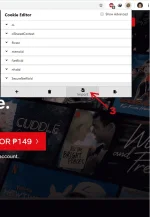
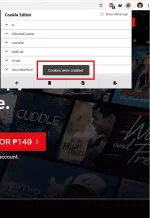
- In the plain text field paste the copied cookie and Click the “Import” button.

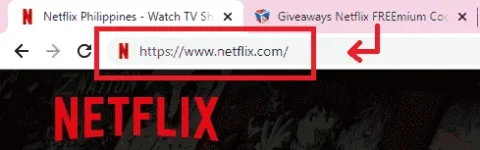
- This is the FINAL and VERY IMPORTANT STEP. From the URL
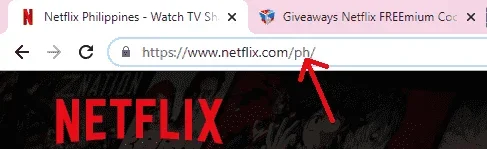
You have to delete whatever written after the Then hit enter button.



#StayAtHome
You do not have permission to view the full content of this post. Log in or register now.