PH
PHWorking DNS for Streaming
No ads - YøùTùbéUS
-𝙳𝙰𝚉𝙽
-Disney Plus
-ESPN+
-Hidive
-Hulu
-HBO Max
-Britbox
-𝙲𝚛𝚞𝚗𝚌𝚑𝚢𝚛𝚘𝚕𝚕
-Fubo TV
-Funimation
-Kocowa
-NBA
-Paramount+
-Peacock TV
-Philo
-Plex TV
-Pluto TV
-Showtime
-Shudder
-Starz
-Star+
-Sling TV
-AMC+
UK
-MUBI
-Rakuten TV
-WWE
-Channel4
-ITV
-BBC Iplayer
AU
-UFC Fight Pass
CA
-Crave
FR
-Canal+
PH
-iWanttfc
-HBO Go
-Viu
-Prime
-VivaMax
-Netflix
-Youtube
SG
-Lionsgate
-ZEE5
Nag try ako gumawa ng DNS for streaming sites check nyo nalang dyan kung ano yung available.
Syempre need nyo ng acc para sa mga yan hanap lang kayo dito ng mga acc para sa mga yan.
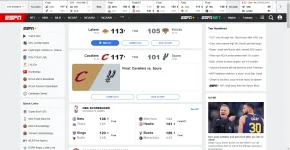
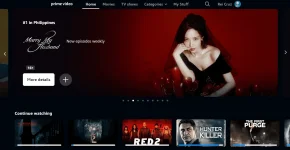
Proof:

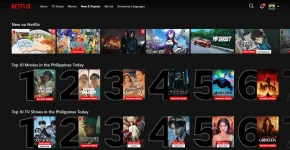
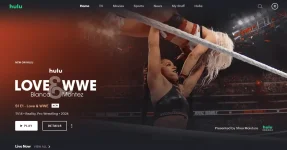
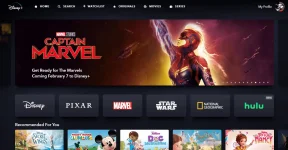


Expiration 02/05/25
| IPv4 | 76.76.2.175 76.76.10.175 |
| IPv6 | 2606:1a40:0:1e:a881:975c:7422:0 2606:1a40:1:1e:a881:975c:7422:0 |
| DNS-over-HTTPS/3 | You do not have permission to view the full content of this post. Log in or register now. |
| DNS-over-TLS/DoQ | 2cywsixlnoi.dns.controld.com |
Try nyo nalang!
DNS no.2
Expiration 02/05/25
| IPv4 | 76.76.2.167 76.76.10.167 |
| IPv6 | 2606:1a40:0:15:9469:2e22:7955:0 2606:1a40:1:15:9469:2e22:7955:0 |
| DNS-over-HTTPS/3 | You do not have permission to view the full content of this post. Log in or register now. |
| DNS-over-TLS/DoQ | 1nt3vtc555h.dns.controld.com |
Try nyo nalang!
Feedback nalang if gumana para ganahan mag share!!
Tutorial:
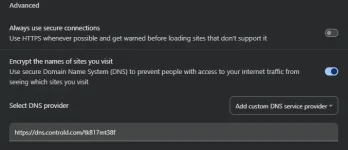
For Chrome
Go to Settings > Privacy and Security > Security > Advanced
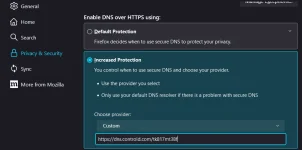
For Firefox
Go to Settings > Settings and Privacy and Scroll Down > You will see the Enable DNS Choose the Increased Protection and Paste the DNS
For Android
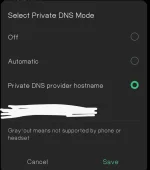
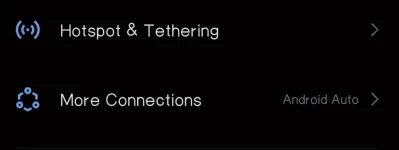
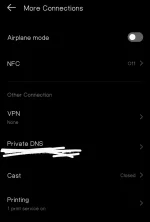
Go to Settings > More connection > Select Private DNS > Choose Private DNS Provider > Save
Step 1:
Step 2:
Step 3: