 PH
PHNo VPN needed, auto US geo pagkalagay ng DNS, manually configured ko na din to switch geo pag nagpunta sa following streaming sites sa baba. Para ka na din naka VPN pag nag browse ng ibang site.
To test if working, pagkalagay ng dns, type what's my ip sa google, if nag iba yung geo and ip nyo at wala na sa PH, working na yun.
Supported streaming app/site
Youtube - No ads
Disney Plus - US
HBO Max - US
HULU - US
ESPN+ - US
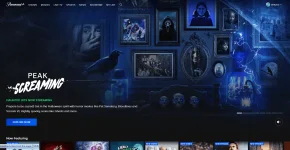
Paramount+ - US
Shudder - US
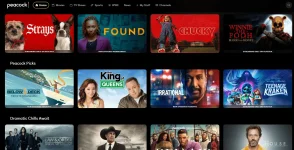
Peacock TV - US
VIU - PH
Prime Video - PH
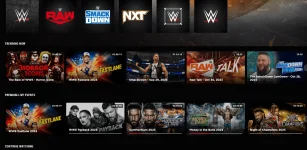
WWE Network - UK
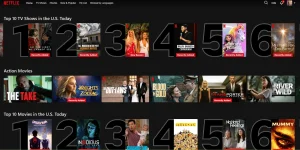
Netflix - US
𝙲𝚛𝚞𝚗𝚌𝚑𝚢𝚛𝚘𝚕𝚕 - US
NBA - US
and many more..
Note: Account not included, dns lang po ito, search na lang kayo ng mga working account, madamimg may post dito para sa iba't-ibang streaming sites
Feedback if working sa inyo
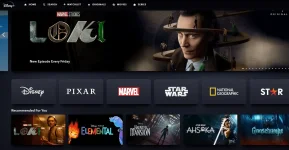

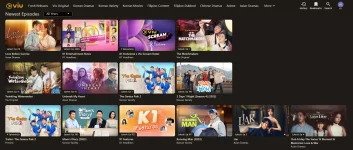
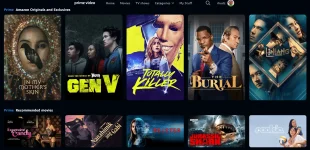
Take note: Guide na lang po yung nandito, expired na po yung DNS, nasulit din nten ng isang taon yung nandito.
For PC DNS-over-HTTPS/3 (DoH)
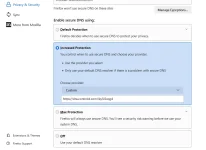
follow the image, copy and paste lang yung link
You do not have permission to view the full content of this post. Log in or register now. - expired 10/29/24
setup for chrome: Settings>privacy and security>security>advanced
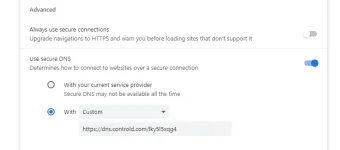
setup for firefox: Settings>privacy and security>enable secure dns using:
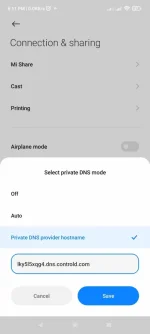
For CP: Go to settings>Connection and sharing>Private dns
DNS-over-TLS/DoQ (DoT)
lky5l5xqg4.dns.controld.com - expired 10/29/24
IPv4 for smart/android tv/router
76.76.2.127
76.76.10.127
Choose any of the two provided, but before using IPv4 sa router or modem, make sure napagana nyo muna kahit ano sa DNS-over-TLS/DoQ (DoT) or DNS-over-HTTPS/3 (DoH) dahil pag DoT or DoH ginamit nyo, it will auto authorize your IP right away kay controlD, unlike using legacy IPv4 directly to your modem or router, di nya marerecognize IP nyo, need pa ipa-manual add yung wan IP sa controlD para mapagana.
So first, paganahin or use DoH or DoT, pag gumana na, add nyo nman yung ipv4 sa router. Pag nalagay nyo na sa router yung ipv4, try to use and connect an extra device sa router na wla pang config ng dns (pc or cp), then try to browse, dapat working na yan, lahat ng nkaconnect sa wifi nyo, same ndin ang dns outcome, no need to configure each device na.
IPv6
2606:1a40:0:7:c97b:ab8f:6d24:0
2606:1a40:1:7:c97b:ab8f:6d24:0
Same process lng sa ipv4
Additional guide on how to setup dns on your iPhone, smart/android tv can be found on my old thread below.

click me
Also, you can try other versions of my all in one DNS here and here
To test if working, pagkalagay ng dns, type what's my ip sa google, if nag iba yung geo and ip nyo at wala na sa PH, working na yun.
Supported streaming app/site
Youtube - No ads
Disney Plus - US
HBO Max - US
HULU - US
ESPN+ - US
Paramount+ - US
Shudder - US
Peacock TV - US
VIU - PH
Prime Video - PH
WWE Network - UK
Netflix - US
𝙲𝚛𝚞𝚗𝚌𝚑𝚢𝚛𝚘𝚕𝚕 - US
NBA - US
and many more..
Note: Account not included, dns lang po ito, search na lang kayo ng mga working account, madamimg may post dito para sa iba't-ibang streaming sites
Feedback if working sa inyo
Take note: Guide na lang po yung nandito, expired na po yung DNS, nasulit din nten ng isang taon yung nandito.
For PC DNS-over-HTTPS/3 (DoH)
follow the image, copy and paste lang yung link
You do not have permission to view the full content of this post. Log in or register now. - expired 10/29/24
setup for chrome: Settings>privacy and security>security>advanced
setup for firefox: Settings>privacy and security>enable secure dns using:
For CP: Go to settings>Connection and sharing>Private dns
DNS-over-TLS/DoQ (DoT)
IPv4 for smart/android tv/router
76.76.10.127
Choose any of the two provided, but before using IPv4 sa router or modem, make sure napagana nyo muna kahit ano sa DNS-over-TLS/DoQ (DoT) or DNS-over-HTTPS/3 (DoH) dahil pag DoT or DoH ginamit nyo, it will auto authorize your IP right away kay controlD, unlike using legacy IPv4 directly to your modem or router, di nya marerecognize IP nyo, need pa ipa-manual add yung wan IP sa controlD para mapagana.
So first, paganahin or use DoH or DoT, pag gumana na, add nyo nman yung ipv4 sa router. Pag nalagay nyo na sa router yung ipv4, try to use and connect an extra device sa router na wla pang config ng dns (pc or cp), then try to browse, dapat working na yan, lahat ng nkaconnect sa wifi nyo, same ndin ang dns outcome, no need to configure each device na.
IPv6
2606:1a40:1:7:c97b:ab8f:6d24:0
Same process lng sa ipv4
Additional guide on how to setup dns on your iPhone, smart/android tv can be found on my old thread below.
click me
Also, you can try other versions of my all in one DNS
here and here