PH
PH1. The first is to download it and watch it later.
2. If you play youtube videos just download Youtube flash player or youtube no buffer extension/addons.
3. The last trick is the best, so i will share this for those who want to stream youtube videos or any sites even your download transfer rate in IDM is 600kbps below.
Sa first trick muna tayo guys:
---->>> so kung mag play kayo ng youtube videos use this downloader YTD, google nyo nlang kung paano mag crack may acceleration speed ang crack tested ko nayan.
---->>> so download ako ng 167mb 720hd youtube videos sa IDM and it running around 2minutes-2min and 20sec kahit signal ng 4g ko is 2bars only.
---->>> so compare ko ulit sa YTD naman napansin ko na mas mabilis ang YTD dahil natapos lang ito in 1min to 50sec. imagine na naka save ako ng 30secs.
---->>> YTD pause/resume download:
--- copy link from youtube and go to to your YTD automatic na yan na mag paste tapos hayaan mo muna tumakbo yong speed makikita mo na .kbps yong speed tapos pause nyo, resume mo ulit bigla yang tataas ang speed kapag bumalik sa mababa ang speed pause ulit tapos resume. Last step is pag naka stuck na sa 1s ang running time at nag ung percentage nya is di pa natatapos into 100% pause nyo tapos resume ulit at matatapos na yan na walang kahirap hirap.
Sa 2nd trick na tau ulit:
--->>> youtube videos is support HTML5 na malakas kumain ng data.
There are ways na gagamitan nyo ng youtube flash using extension or add ons.
Sa 3rd tick is the best for me:
--->>>
a. open google and search VLC player download nyo using latest version.
b. open VLC player at paste nyo yong url ng youtube sa "Open network stream"
c. paste url tapos click play and wait na lumabas na lumabas yong video na hinde na mag bubuffer.
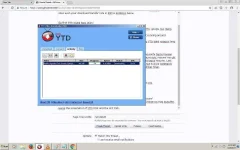
Heres the screenshot of YTD trick and the 3rd trick.
Mas dark pala yong 720p - 1080p HD resolution.
yong 4k is light at di masakit tingnan.
2. If you play youtube videos just download Youtube flash player or youtube no buffer extension/addons.
3. The last trick is the best, so i will share this for those who want to stream youtube videos or any sites even your download transfer rate in IDM is 600kbps below.
Sa first trick muna tayo guys:
---->>> so kung mag play kayo ng youtube videos use this downloader YTD, google nyo nlang kung paano mag crack may acceleration speed ang crack tested ko nayan.
---->>> so download ako ng 167mb 720hd youtube videos sa IDM and it running around 2minutes-2min and 20sec kahit signal ng 4g ko is 2bars only.
---->>> so compare ko ulit sa YTD naman napansin ko na mas mabilis ang YTD dahil natapos lang ito in 1min to 50sec. imagine na naka save ako ng 30secs.
---->>> YTD pause/resume download:
--- copy link from youtube and go to to your YTD automatic na yan na mag paste tapos hayaan mo muna tumakbo yong speed makikita mo na .kbps yong speed tapos pause nyo, resume mo ulit bigla yang tataas ang speed kapag bumalik sa mababa ang speed pause ulit tapos resume. Last step is pag naka stuck na sa 1s ang running time at nag ung percentage nya is di pa natatapos into 100% pause nyo tapos resume ulit at matatapos na yan na walang kahirap hirap.
Sa 2nd trick na tau ulit:
--->>> youtube videos is support HTML5 na malakas kumain ng data.
There are ways na gagamitan nyo ng youtube flash using extension or add ons.
Sa 3rd tick is the best for me:
--->>>
a. open google and search VLC player download nyo using latest version.
b. open VLC player at paste nyo yong url ng youtube sa "Open network stream"
c. paste url tapos click play and wait na lumabas na lumabas yong video na hinde na mag bubuffer.
Heres the screenshot of YTD trick and the 3rd trick.
Mas dark pala yong 720p - 1080p HD resolution.
yong 4k is light at di masakit tingnan.