 PH
PH-
Welcome to PHCorner Forums! Sign up for free to unlock full access and exclusive privileges, including:
- Asking questions about computer and mobile issues
- Discovering internet tips for your mobile network and computer
You are using an out of date browser. It may not display this or other websites correctly.
You should upgrade or use an alternative browser.
You should upgrade or use an alternative browser.
🔒 Closed write protected usb
- Thread starter lizthealt
- Start date
- Status
- Not open for further replies.
demonic098
Forum Veteran
Ctrl+R then type regedit /*comment: opens registry editor*/
then Navigate to the following key:
Computer\HKEY_LOCAL_MACHINE\SYSTEM\
CurrentControlSet\Control\StorageDevicePolicies
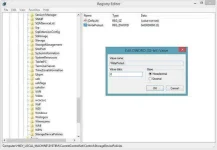
Double-click on the WriteProtect value in the right-hand pane of Regedit.exe. Change the Value data from 1 to 0 and click OK to save the change. Close Regedit and restart your computer. Connect your USB drive again, and you should find it is no longer write protected.
source: pcadvisor
then Navigate to the following key:
Computer\HKEY_LOCAL_MACHINE\SYSTEM\
CurrentControlSet\Control\StorageDevicePolicies
Double-click on the WriteProtect value in the right-hand pane of Regedit.exe. Change the Value data from 1 to 0 and click OK to save the change. Close Regedit and restart your computer. Connect your USB drive again, and you should find it is no longer write protected.
source: pcadvisor
wolfgangx78
Fanatic
Ctrl+R then type regedit /*comment: opens registry editor*/
then Navigate to the following key:
Computer\HKEY_LOCAL_MACHINE\SYSTEM\
CurrentControlSet\Control\StorageDevicePolicies
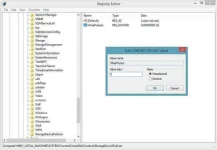
Double-click on the WriteProtect value in the right-hand pane of Regedit.exe. Change the Value data from 1 to 0 and click OK to save the change. Close Regedit and restart your computer. Connect your USB drive again, and you should find it is no longer write protected.
source: pcadvisor
mahusay
Y
Yours
salamat po sa share 
UrujaKurenai
Fanatic
matsalam po dito
- Status
- Not open for further replies.
About this Thread
-
11Replies
-
3KViews
-
11Participants
Last reply from:
krizzy008
krizzy008
New Topics
-
After nag reset parang nag corrupt
- Started by the_ef
- Replies: 0
- 🖥️ Device & Hardware
-
HEARVO KVM SWITCH
- Started by Roll277
- Replies: 0
- 🖥️ Device & Hardware
-
Android Stereo Firmware Update
- Started by Jayjaypomx
- Replies: 0
- 🖥️ Device & Hardware
-
RESET or REFORMAT new windows?
- Started by PhRD
- Replies: 2
- 🖥️ Device & Hardware
-
Rasberry pi 4 b
- Started by ZenKurtXhyle
- Replies: 1
- 🖥️ Device & Hardware
-
Windows File System Corrupted?
- Started by StaticPhantom
- Replies: 1
- 🖥️ Device & Hardware
-
LEGIT SHOPS SELLING PC/ LAPTOP HARDWARE PARTS
- Started by Rubrix02
- Replies: 1
- 🖥️ Device & Hardware
-
Help guys worth it ba to sa 10kphp
- Started by Psycho Guy
- Replies: 4
- 🖥️ Device & Hardware
-
Adobe Photoshop 2026 v27.10.0 (x64) Multi (Activado)
- Started by DLark
- Replies: 2
- 🖥️ Device & Hardware
Trending Topics
Online now
- Members online
- 1,059
- Guests online
- 4,011
- Total visitors
- 5,070